
-as of [31 JULY 2026]-
.
*WHEN YOU CREATE A NEW [PROJECT], YOU CAN CHOOSE A [TEMPLATE] FROM THE [IMPORT SCREEN]* —>
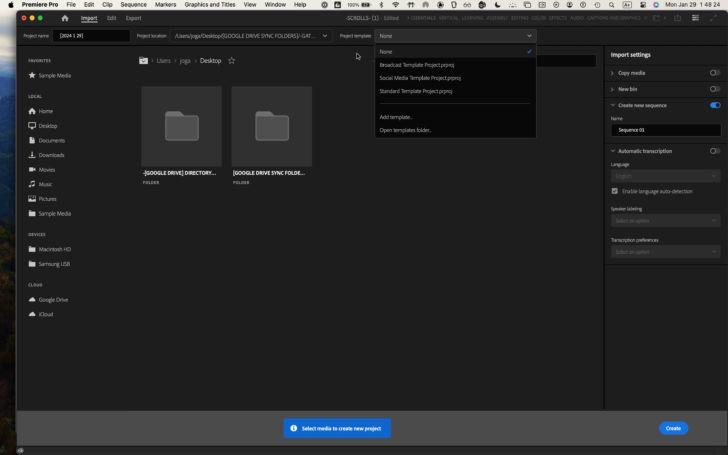
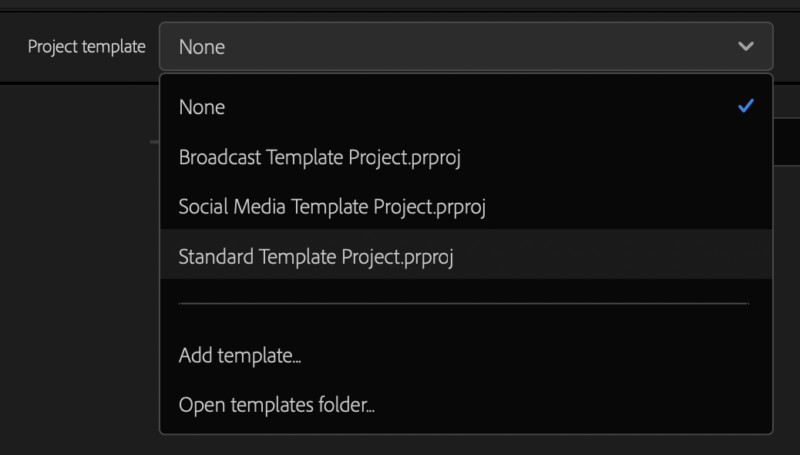
-[BROADCAST] TEMPLATE PROJECT-
-[SOCIAL MEDIA] TEMPLATE PROJECT-
*ADD [TEMPLATE]* —>
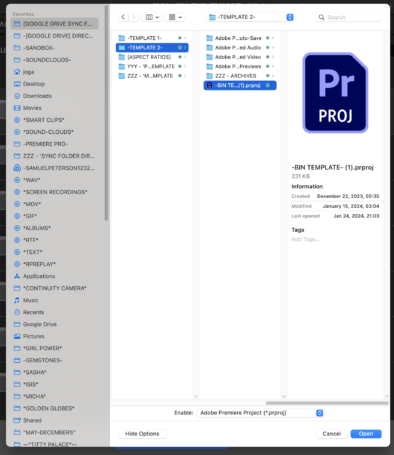
*NAME NEW TEMPLATE + HIT [RETURN]* —>
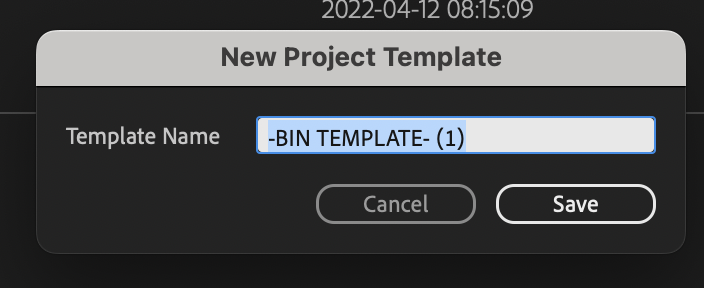
*YOUR TEMPLATE IS NOW LISTED IN THE [DROP-DOWN MENU]* —>
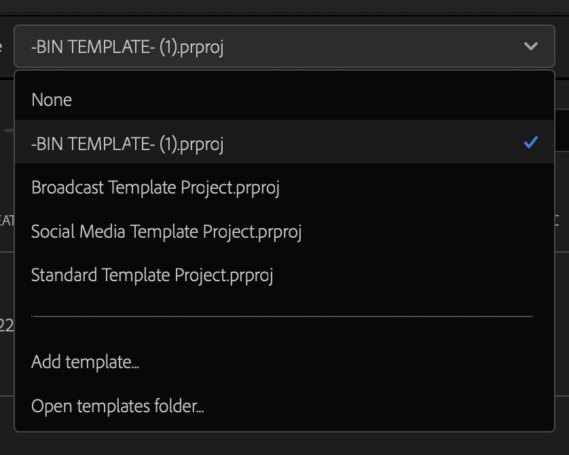
*OPEN [TEMPLATES FOLDER]* —>
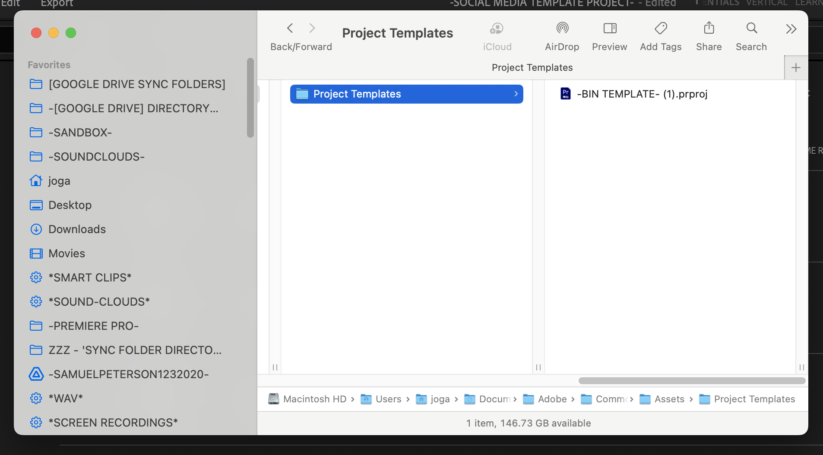
*FILE PATH* —>
/Users/joga/Documents/Adobe/Common/Assets/Project Templates
(only your ‘custom templates’ appear in this folder)
(not the ‘default templates’)
(where are they stored?)
(you can delete your ‘custom templates’ from this folder)
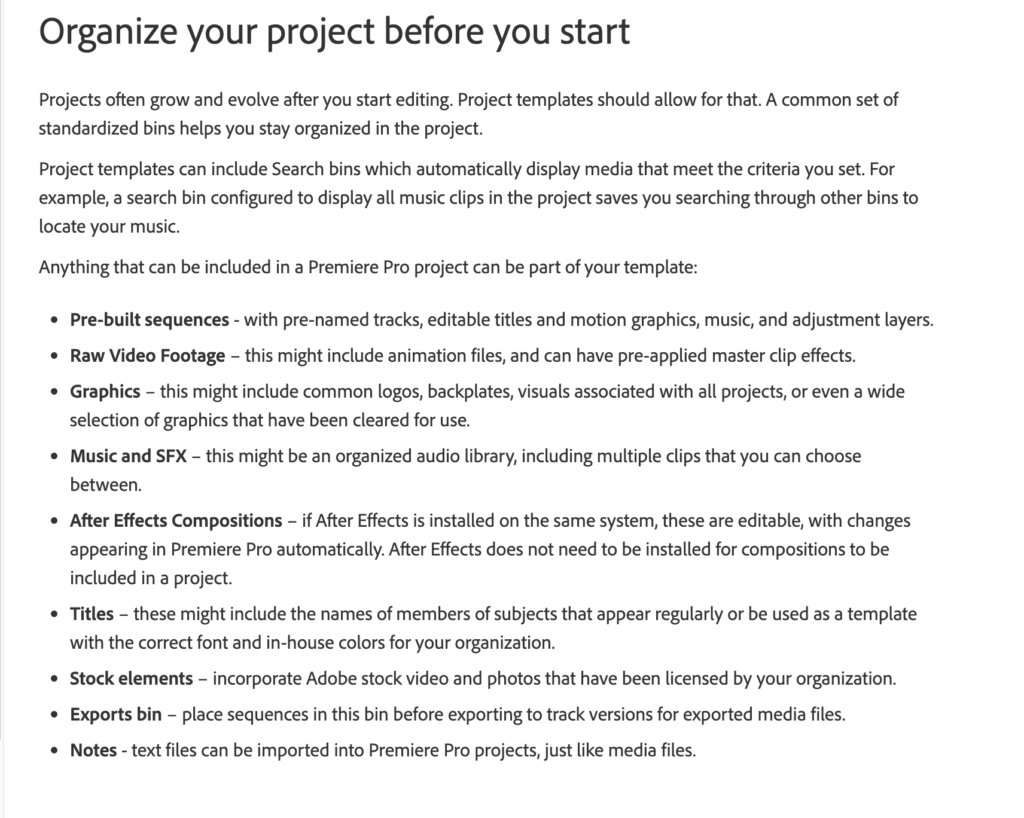
*PRE-BUILT SEQUENCES*
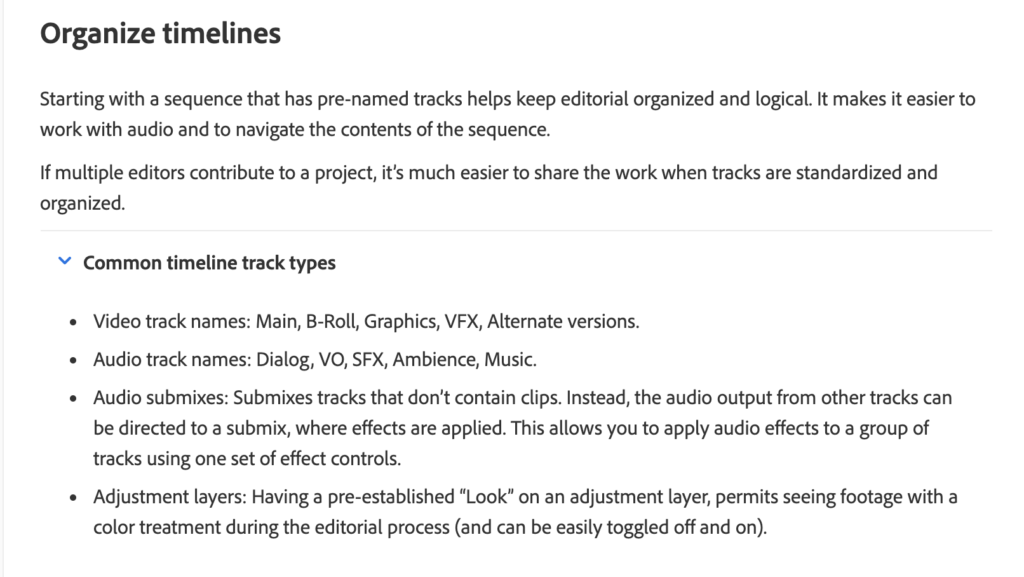
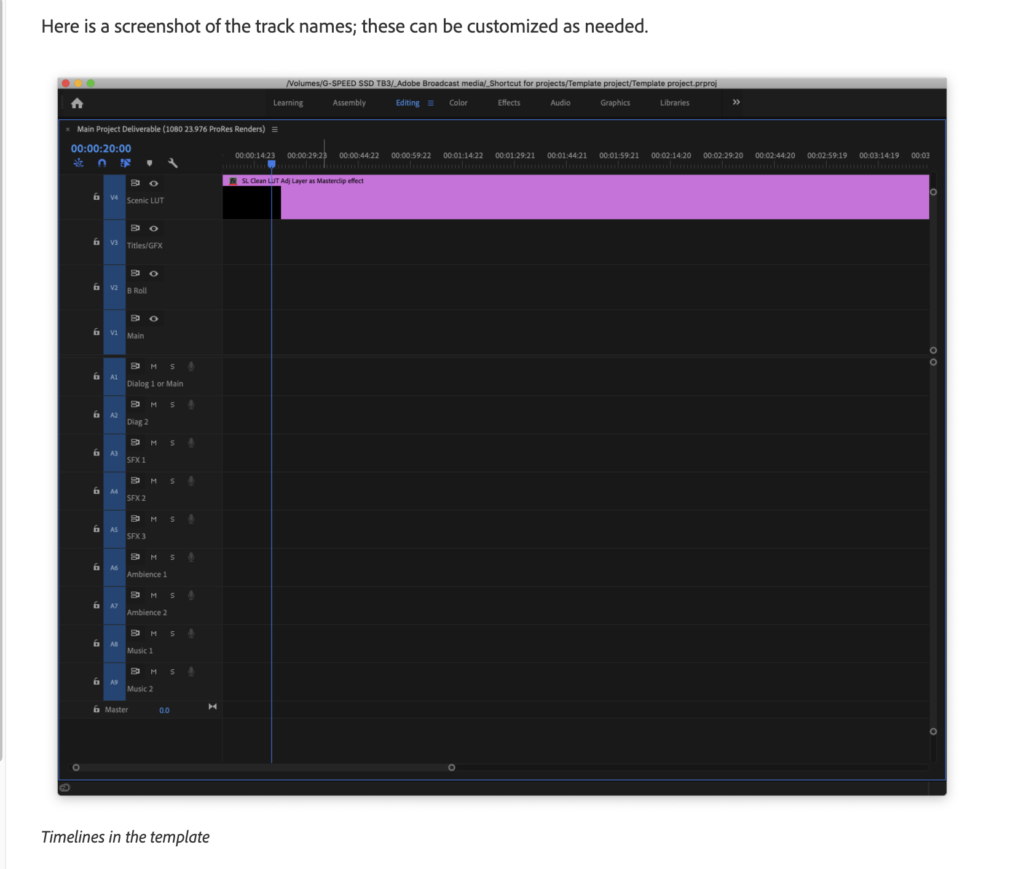
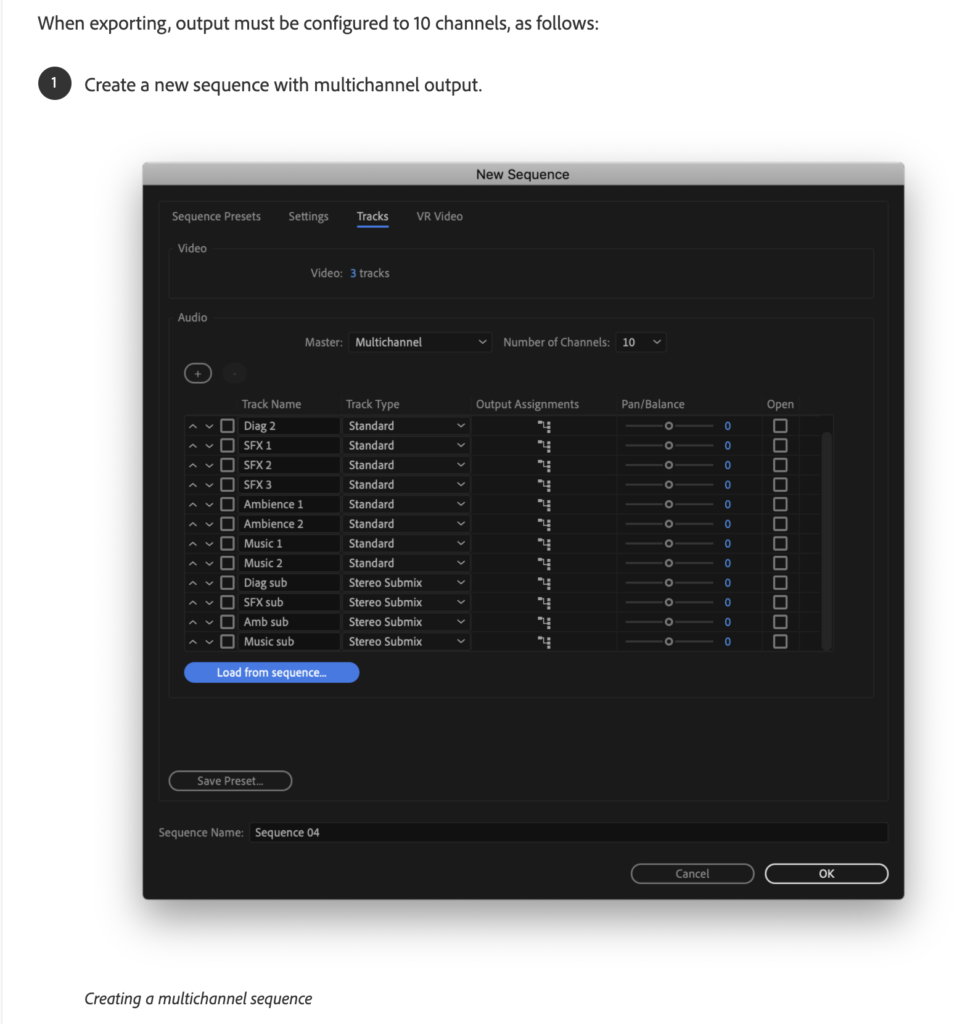
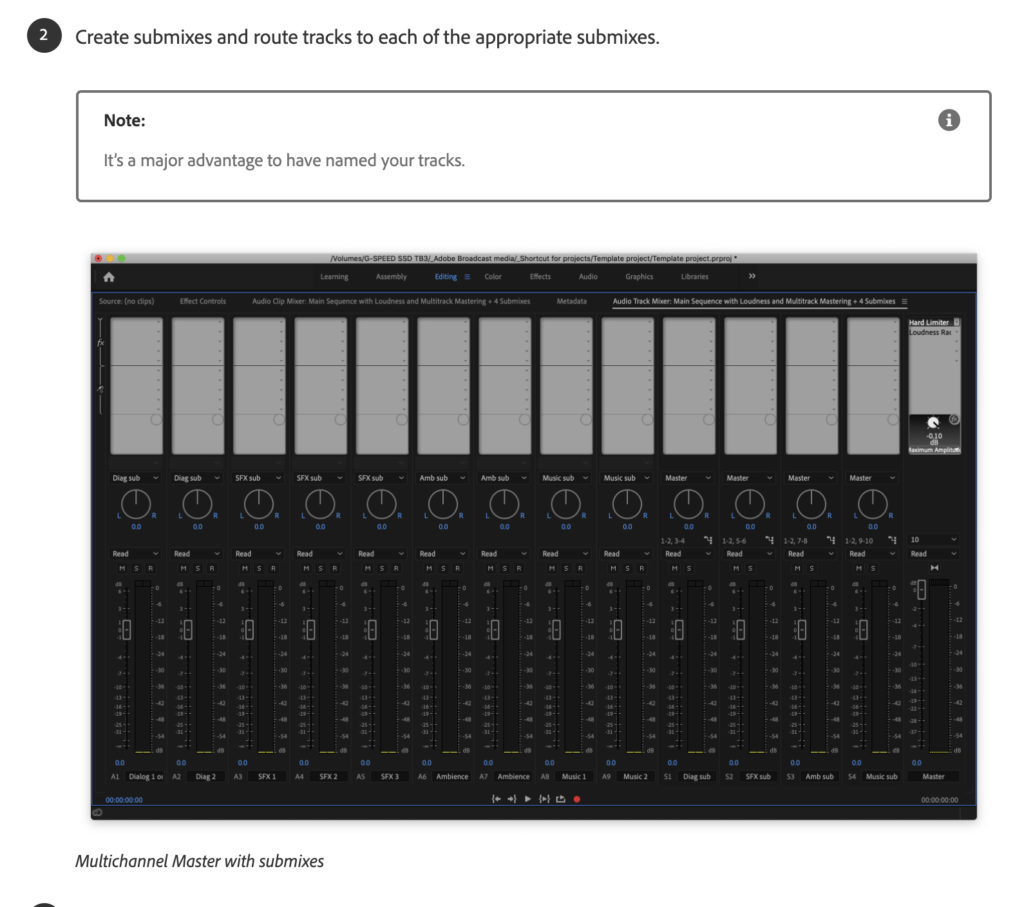
*PRE-NAMED TRACKS*
*EDITABLE TITLES*
*MOTION GRAFIX*
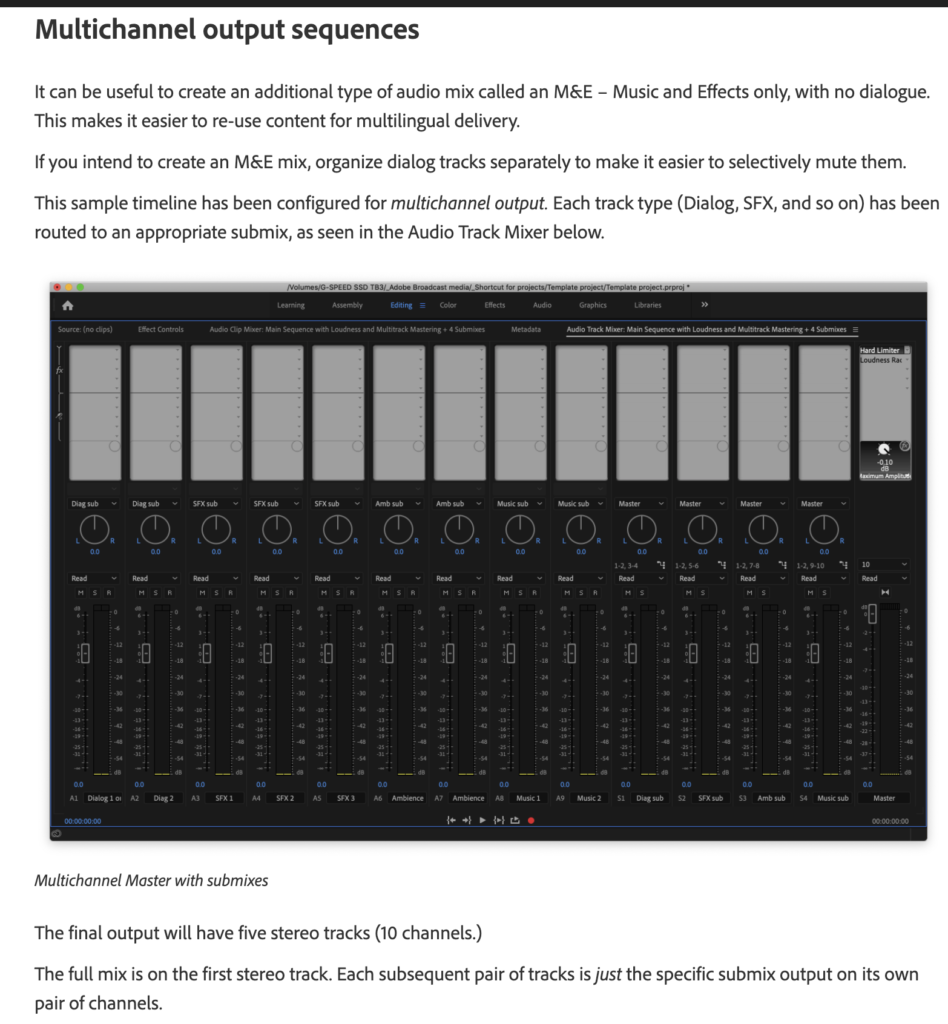
*MUSIC*
*ADJUSTMENT LAYERS*
*RAW VIDEO FOOTAGE*
*ANIMATION FILES*
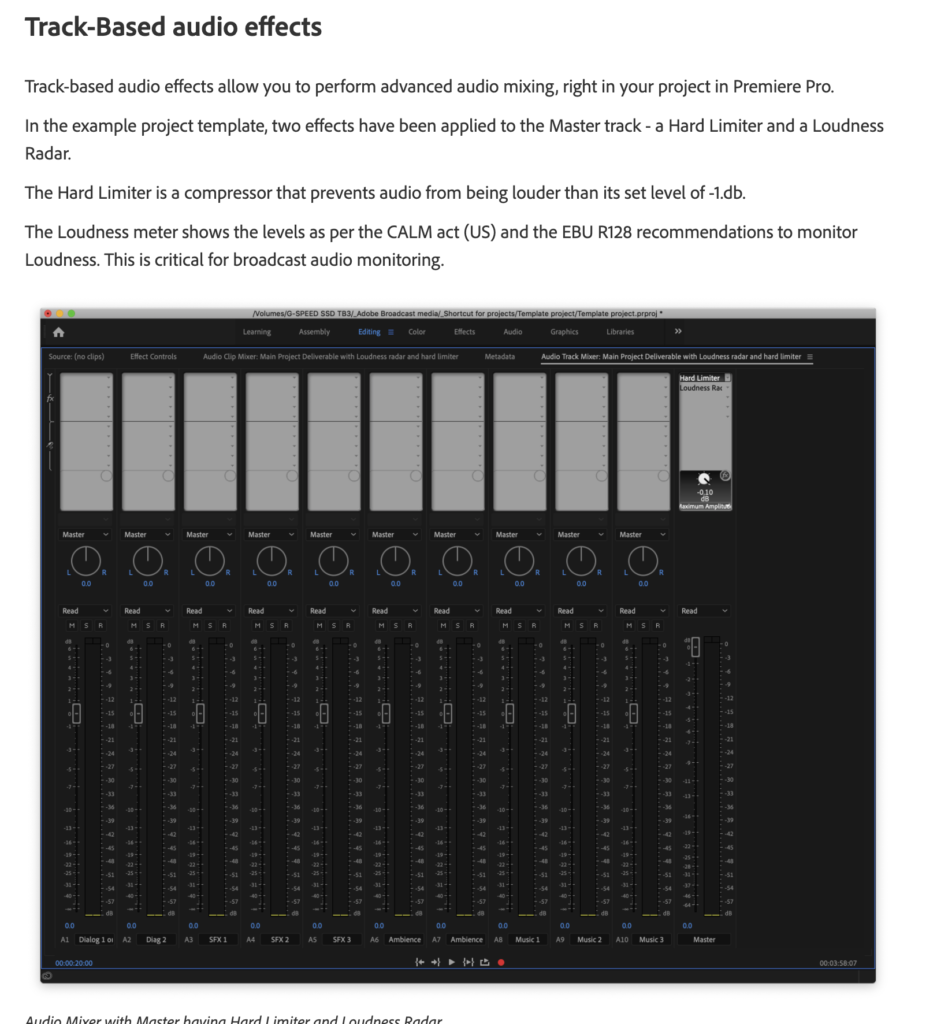
*PRE-APPLIED MASTER CLIP FX*
*GRAFIX*
*COMMON LOGOS*
*BACKPLATES*
*VISUALS*
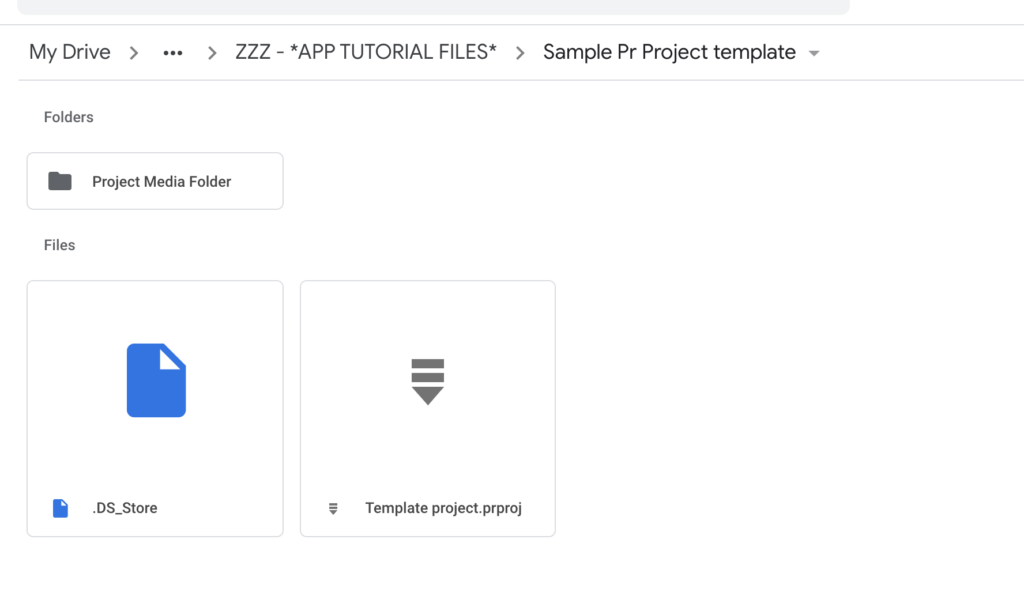
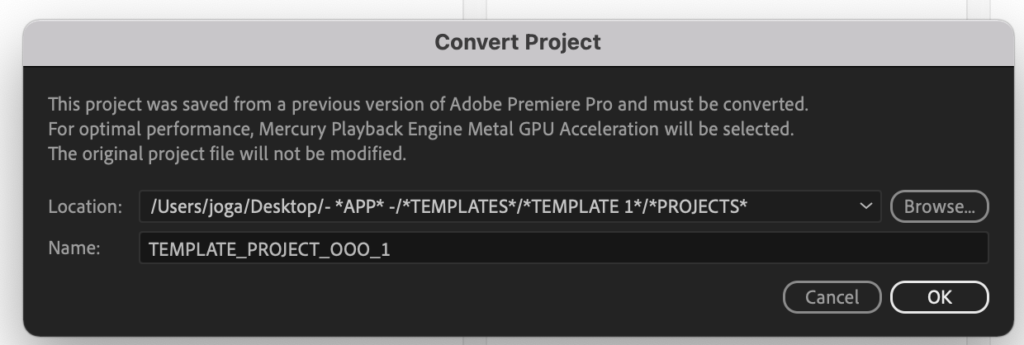
template project
This folder mirrors the project with the Adobe Premiere Pro Project Template
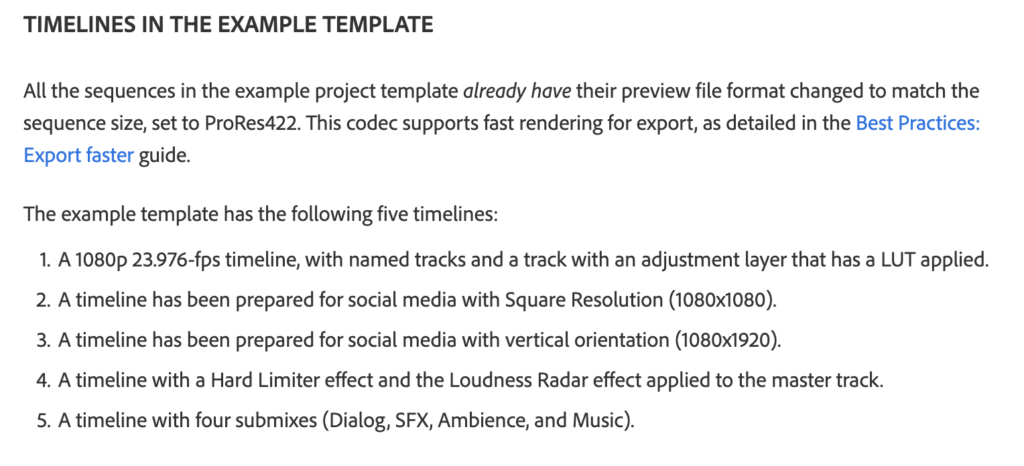
Here’s anything that’s nonstandard about the template project.
Project item and label color is turned on
Mercury Playback Engine (Project settings) is set to ‘Open CL’
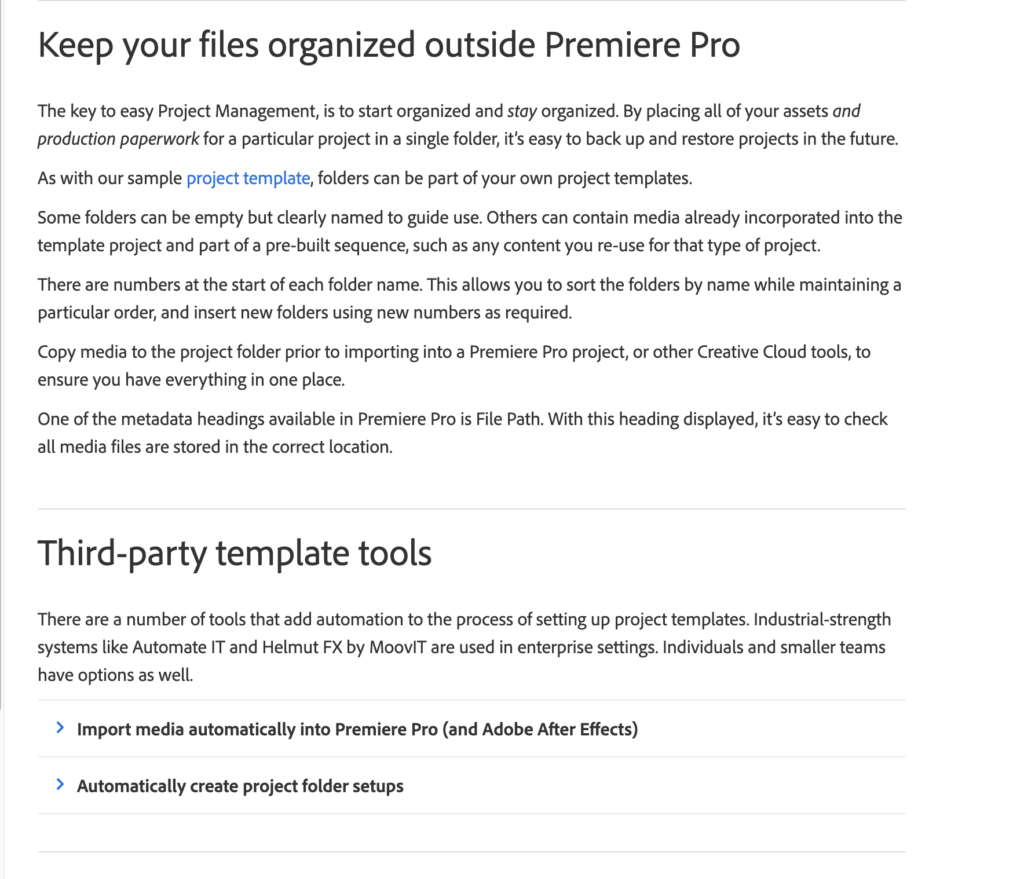
By using this folder template, it’s easier to start projects – and extra easy to move/cleanup a project as everything is self contained.
Of course, your mileage may vary and this project and assets are merely a demonstration of the possibilities of templates.
(downloaded via ‘APP user guide link’)
*LOCAL DISK*

(at the end of the day, back up to your ‘cloud drive’…)
-PROJECT PANEL-
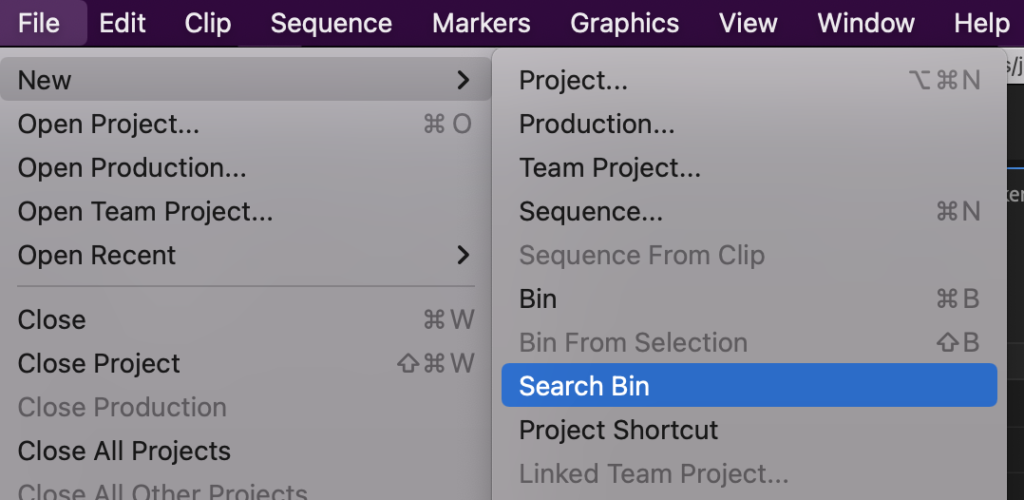
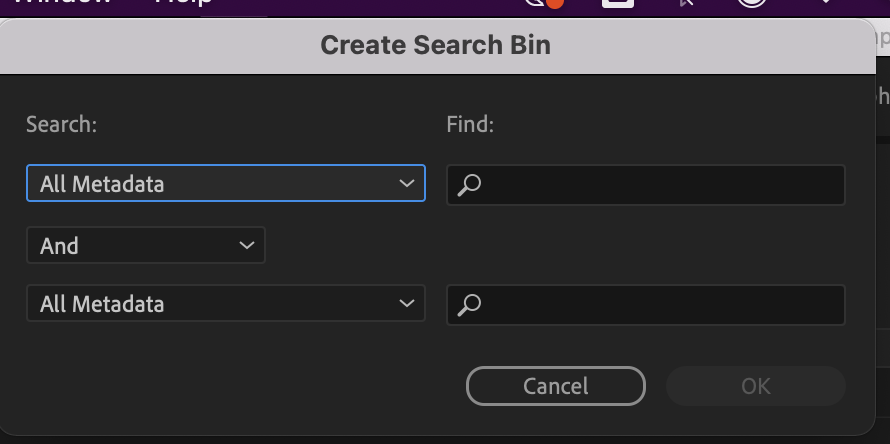
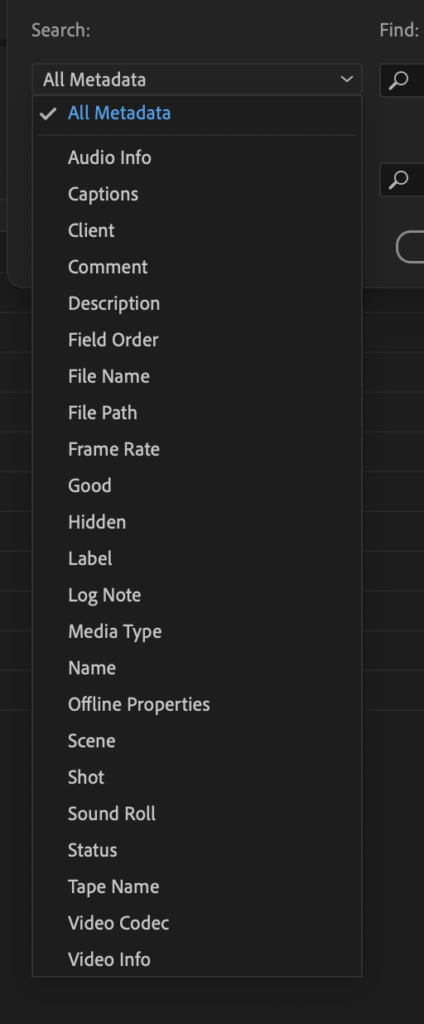
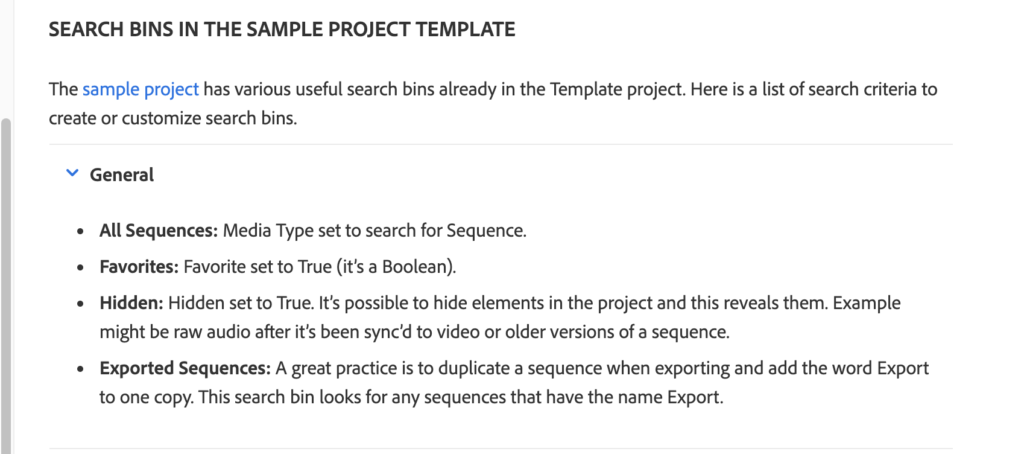
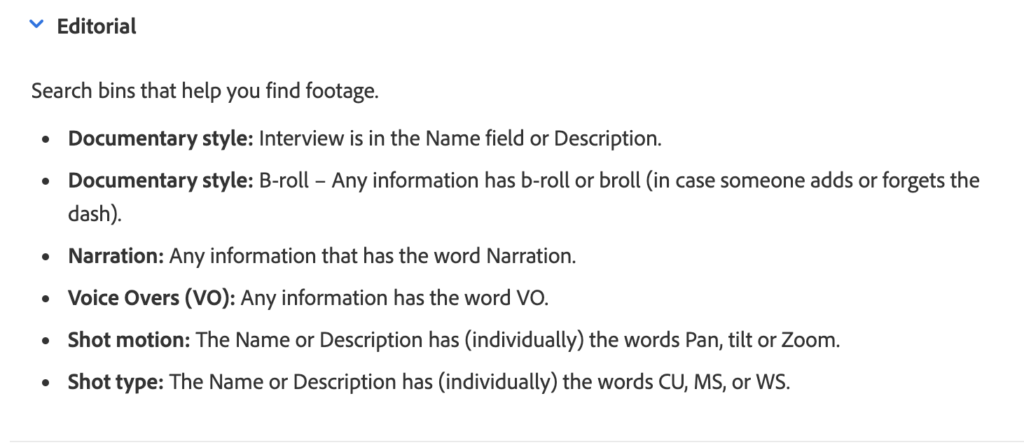
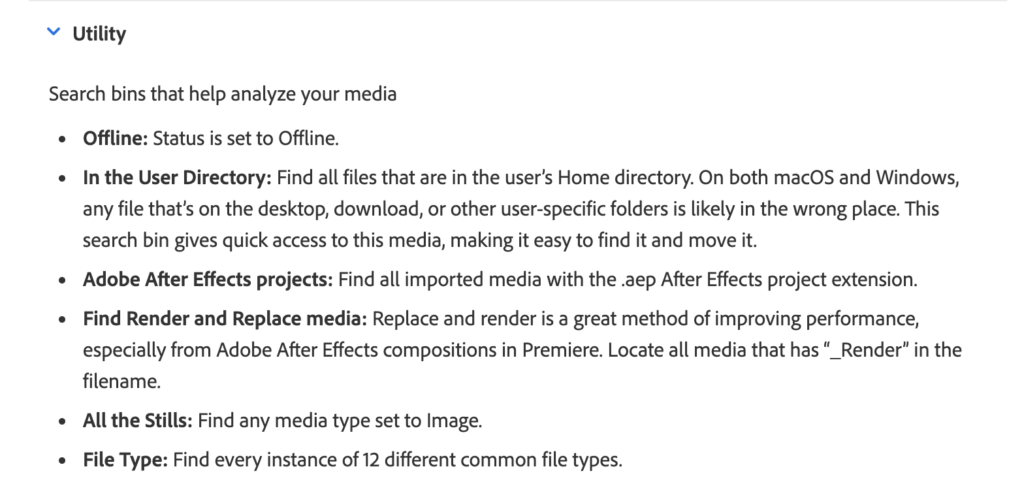
-SEARCH BINS-
.
.
.
*👨🔬🕵️♀️🙇♀️*SKETCHES*🙇♂️👩🔬🕵️♂️*
.
.
👈👈👈☜*-PREMIERE PRO-* ☞ 👉👉👉
*THE BASIX*
.
.
💕💝💖💓🖤💙🖤💙🖤💙🖤❤️💚💛🧡❣️💞💔💘❣️🧡💛💚❤️🖤💜🖤💙🖤💙🖤💗💖💝💘
.
.
*🌈✨ *TABLE OF CONTENTS* ✨🌷*
.
.
🔥🔥🔥🔥🔥🔥*we won the war* 🔥🔥🔥🔥🔥🔥