
-as of [24 MAY 2026]-
.
-also sometimes referred to as “anchor links“-
.
*INSTRUCTIONS* —>
*STEP 1*
-NAVIGATE TO “DESTINATION BLOCK”-

*STEP 2*
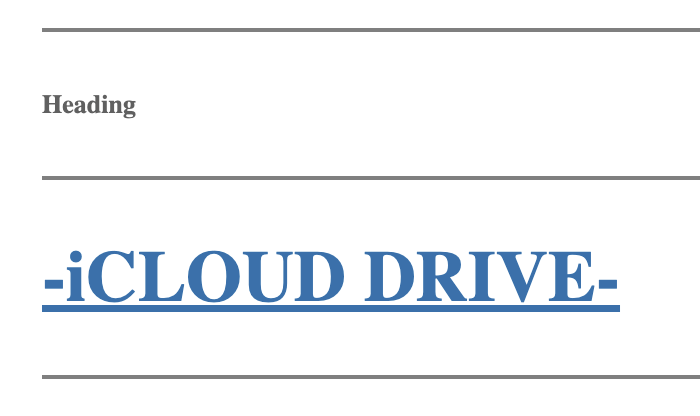
-CREATE NEW “PARAGRAPH BLOCK” ABOVE “DESTINATION BLOCK”)
(type in /heading to change it to a ‘heading block’)
(you can insert ‘text’ or leave blank)
(it will be invisible in your post)
(a blank “heading block” just displays “heading” in the [post editor])
(make “font size” as small as possible)
*STEP 3*
(in ‘right column’, open “block tab” + click on the “advanced drop-down menu”…)
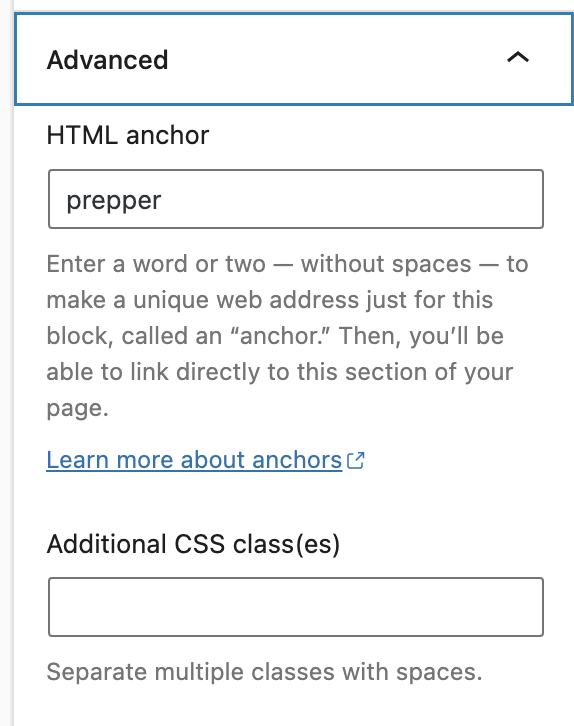
(type in your “html anchor”)
(it must be unique within a document)
(it is ‘case-sensitive’)
(write down the “html anchor” for future reference)
(it can include the following symbols…)
–
(hyphen)
_
(underscore)
:
(colon)
.
(period)
(cannot include spaces)
(it must start with a letter of the alphabet)
.
*STEP 4*
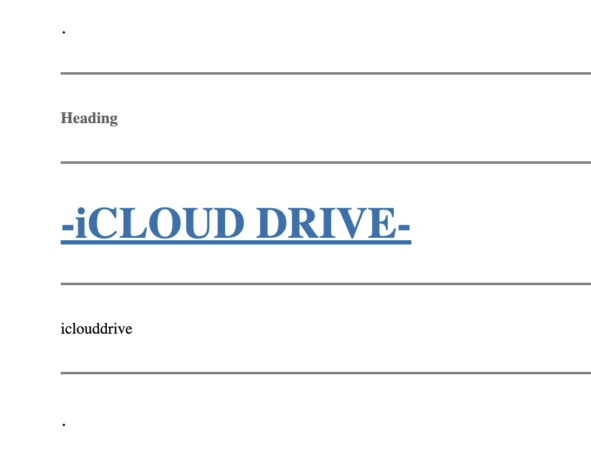
-assign a “search name” for the section + insert it in a [paragraph block] below your “destination block”-
-make the font as small as possible-
-bound the 3 blocks with “separator blocks”-
-add blank “paragraph blocks” as “bookends”-
-keep a record of the “search name” for future reference-
*STEP 5*
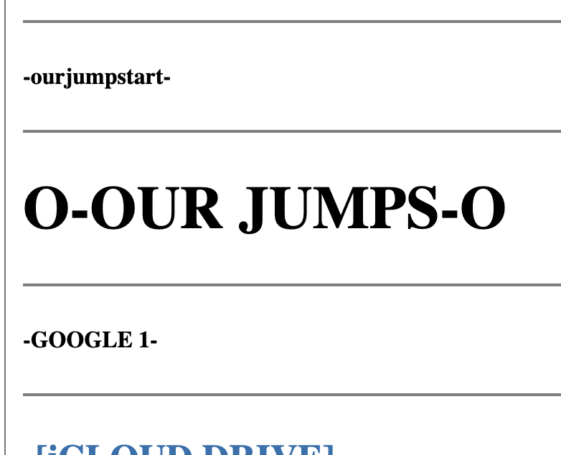
-navigate to your “page jumps” section-
-search “ourjumpstart” until you arrive at the beginning of the “page jump” section-
.
*STEP 6*
-ADD A [PARAGRAPH BLOCK] TO MATCH YOUR [DESTINATION BLOCK]-
-ADD A [PARAGRAPH BLOCK] UNDERNEATH THIS BLOCK + TYPE IN THE “SEARCH NAME” IN SMALLEST FONT POSSIBLE-
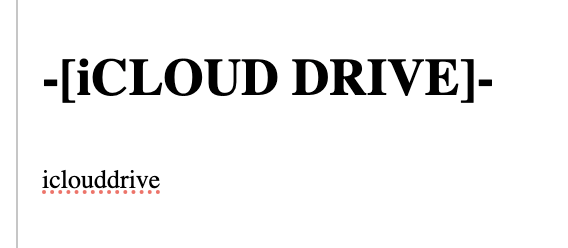
-you can now use that “search name” to “page jump” in the [wordpress editor]-
.
*STEP 7*
-create a link to your [html anchor]-
(can be ‘text’ / ‘image’ / ‘button’)
(just highlight it)
(then select the ‘link option’ from the block’s toolbar)
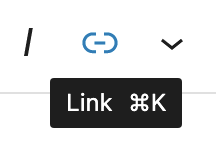
(or just press [COMMAND] + [k])
(type in a ‘hashtag’ followed by your ‘html anchor text’)
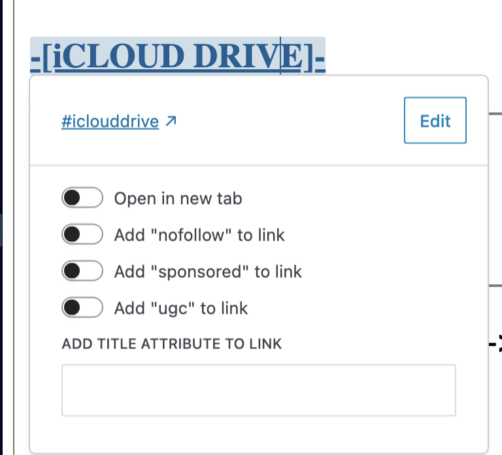
(the ‘jump’ won’t work until you publish the entry)
(it won’t show up in ‘preview mode’)
*you can also link to an ‘html anchor’ on another page*
(just insert the ‘page link’ before the ‘hashtag html anchor’…)
example.com/anotherpage#important-notice
-THE “PAGE JUMPS” DON’T ACTUALLY FUNCTION IN THE “POST EDITOR”-
-AS IN, CLICKING THE “PAGE JUMP” DOESN’T DO ANYTHING-
-TO FIND THE TARGET OF A “PAGE JUMP”, USE “LIST VIEW”–
*IF A [BLOCK] CONTAINS AN “HTML ANCHOR”, IT IS INDICATED ON THE RIGHT* —>
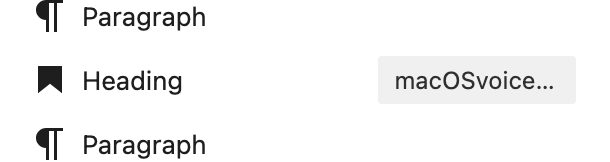
-YOU CAN ALSO SEARCH FOR THE “HTML EDITOR” BY SWITCHING TO “CODE EDITOR” + SEARCHING FOR THE “HTML ANCHOR” NAME-
(DON’T INCLUDE THE “HASHTAG”)
.
.
.
*👨🔬🕵️♀️🙇♀️*SKETCHES*🙇♂️👩🔬🕵️♂️*
.
.
👈👈👈☜*“WORDPRESS WORKFLOW”* ☞ 👉👉👉
.
.
💕💝💖💓🖤💙🖤💙🖤💙🖤❤️💚💛🧡❣️💞💔💘❣️🧡💛💚❤️🖤💜🖤💙🖤💙🖤💗💖💝💘
.
.
*🌈✨ *TABLE OF CONTENTS* ✨🌷*
.
.
🔥🔥🔥🔥🔥🔥*we won the war* 🔥🔥🔥🔥🔥🔥