
-as of [26 SEPTEMBER 2026]-
.
*REFERENCE GUIDE* —>
-CHAPTER 18-
(WORKSPACE BROWSERS)
*PAGES 355 – 406*
*52 PAGES LONG*
.
*TROUBLESHOOTS* —>
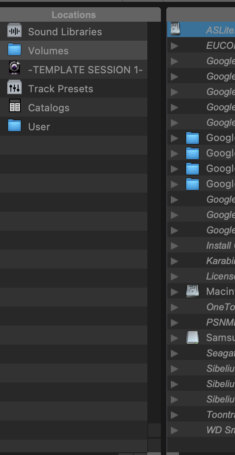
-DO NOT [RIGHT-CLICK] AN [EMPTY SPACE] IN THE LEFT [LOCATION COLUMN] IN [WORKSPACE BROWSER]-
(THIS WILL CRASH “PRO TOOLS”)
.
.
.
.
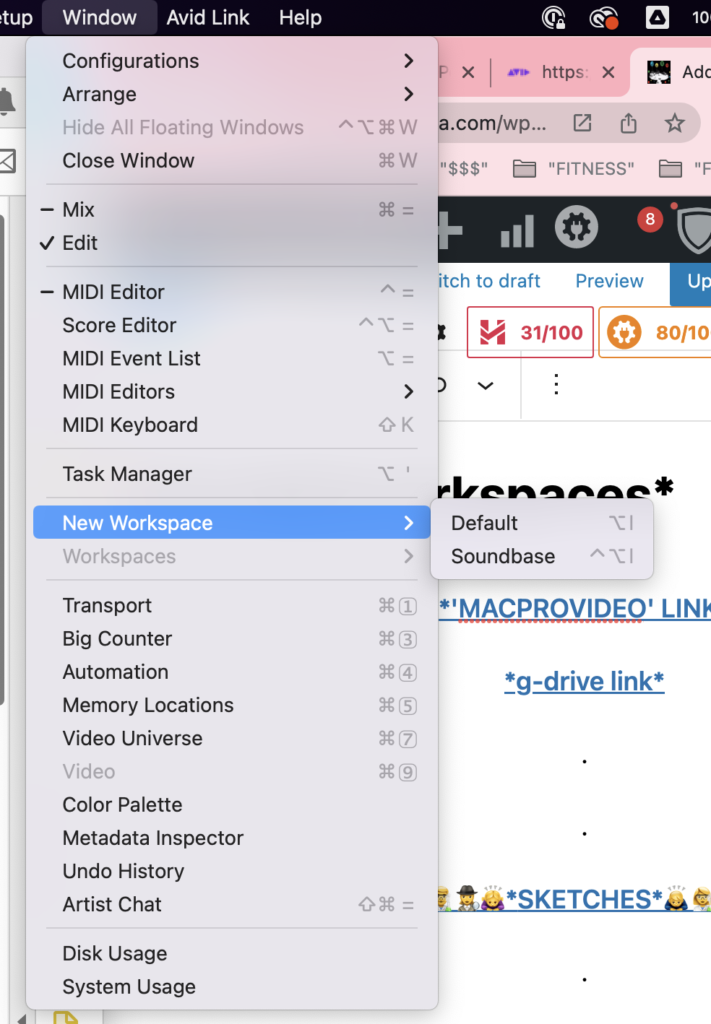
*TOP MENU BAR* –>
.
*you can create as many ‘workspaces’ as you want*
(they are all ‘floating windows’ by default)
.
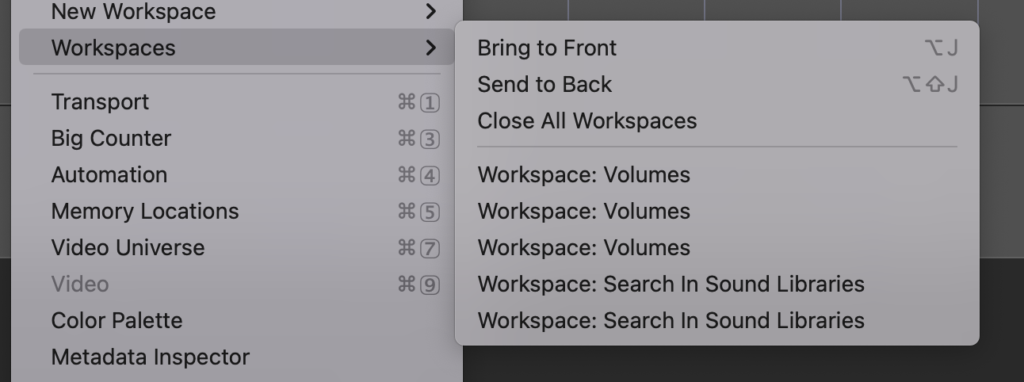
*once you create a ‘workspace’, a new ‘sub-dropdown menu’ becomes accessible in the ‘window menu’ of ‘top menu bar’* –>
.
*the ‘bottom half’ of the menu lists all currently open ‘workspaces’*
(‘default workspaces’ are listed as ‘workspace: volumes’)
(‘soundbase workspaces’ are listed as ‘workspace: search in sound libraries’)
*if you select a ‘workspace’ from this list, it is ‘brought to the front’*
.
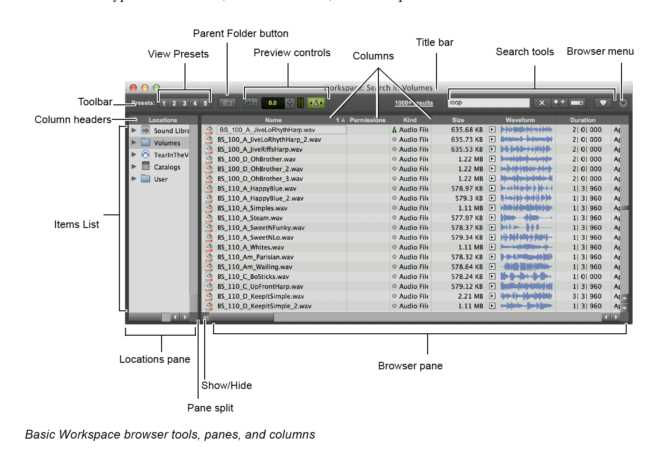
*when you create a new ‘workspace’, *the ‘workspace floating window size’ is set to the size it was when you last created a ‘new workspace’)
“and so it goes…”
.
.
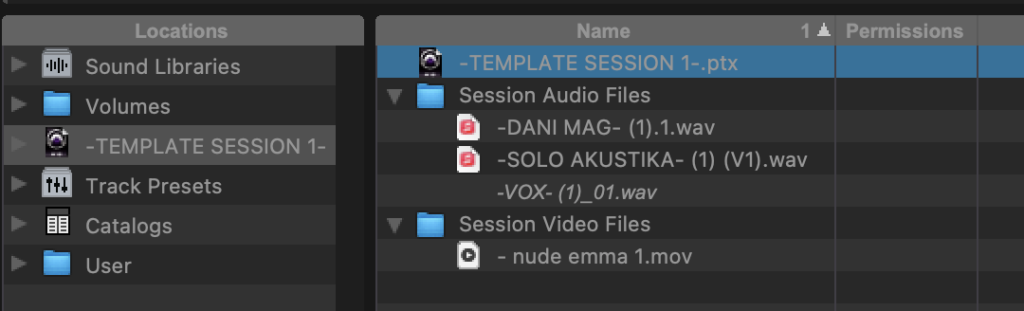
*SESSION WORKSPACE* —>
.
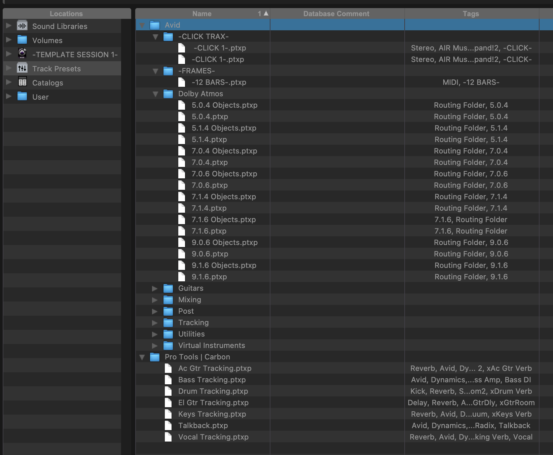
*[TRACK PRE-SETS] WORKSPACE* —>
.
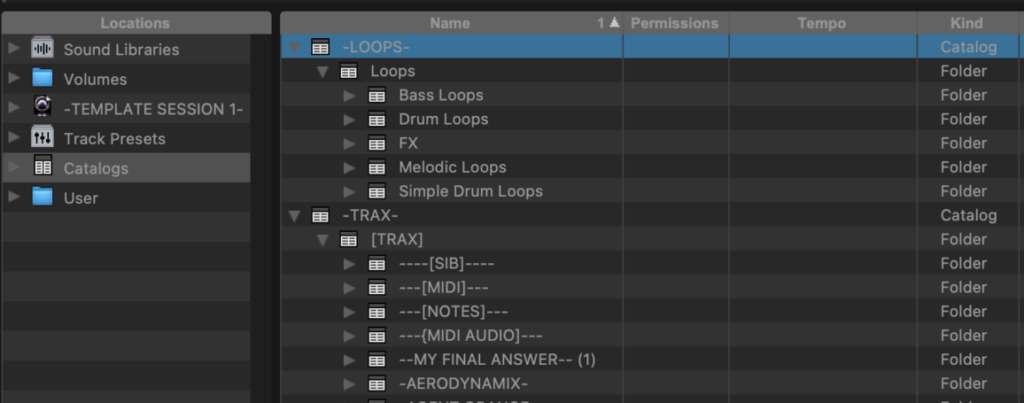
*[CATALOGS] WORKSPACE* —>
.
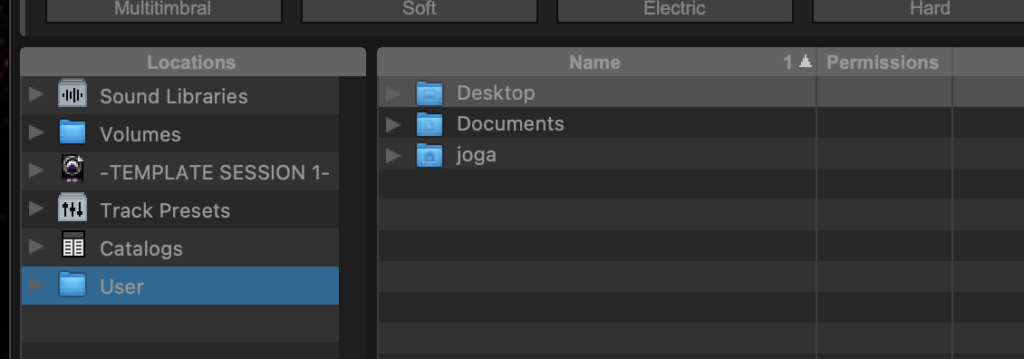
*[USER] WORKSPACE* —>
.
.
.
*👨🔬🕵️♀️🙇♀️*SKETCHES*🙇♂️👩🔬🕵️♂️*
.
.
👈👈👈☜*-[PRO TOOLS] WORKFLOW-* ☞ 👉👉👉
.
.
💕💝💖💓🖤💙🖤💙🖤💙🖤❤️💚💛🧡❣️💞💔💘❣️🧡💛💚❤️🖤💜🖤💙🖤💙🖤💗💖💝💘
.
.
*🌈✨ *TABLE OF CONTENTS* ✨🌷*
.
.
🔥🔥🔥🔥🔥🔥*we won the war* 🔥🔥🔥🔥🔥🔥