
-as of [2 OCTOBER 2026]-
.
*OPEN “MELODYNE PREFERENCES PANEL”* —>
*open [preferences panel]* —>
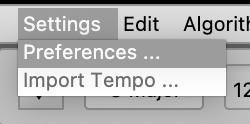
(no keyboard shortcut)
.
*USE ‘TOP DROP-DOWN MENU’ TO SELECT ‘SHORTCUTS PANEL’* —>
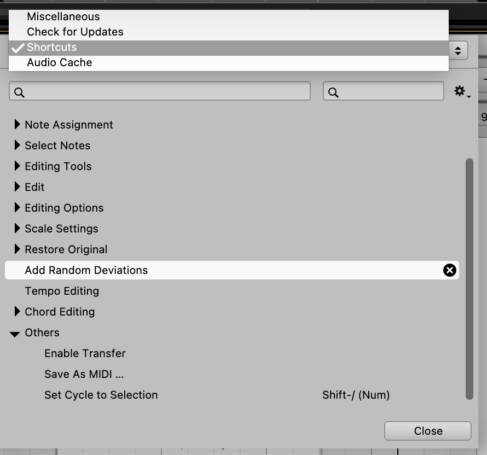
.
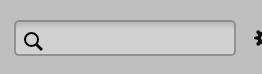
*2 TOP “SEARCH BOXES”*
(the ‘active box’ has a ‘yellow border’)
.
*search shortcuts by ‘name’* —>

.
*search shortcuts by ‘key’* —>
.
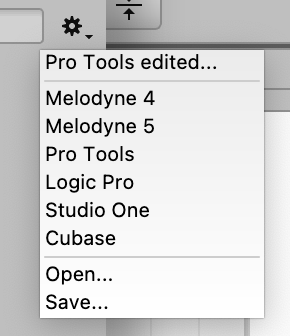
*top right corner* —>
.
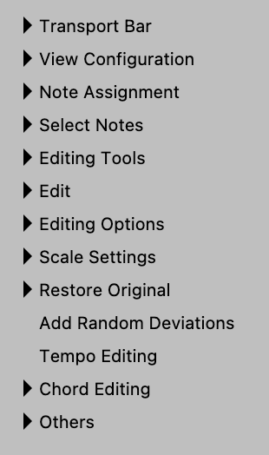
*13 CATEGORIES*
(11 ‘DROP-DOWN CATEGORIES’ / 2 ‘STAND-ALONE CATEGORIES’)
*TRANSPORT BAR*
*VIEW CONFIGURATION*
*NOTE ASSIGNMENT*
*SELECT NOTES*
*EDITING TOOLS*
*EDIT*
*EDITING OPTIONS*
*SCALE SETTINGS*
*RESTORE ORIGINAL*
*ADD RANDOM DEVIATIONS*
(no ‘drop-down menu’)
*TEMPO EDITING*
(no ‘drop down menu’)
*CHORD EDITING*
*OTHERS*
.
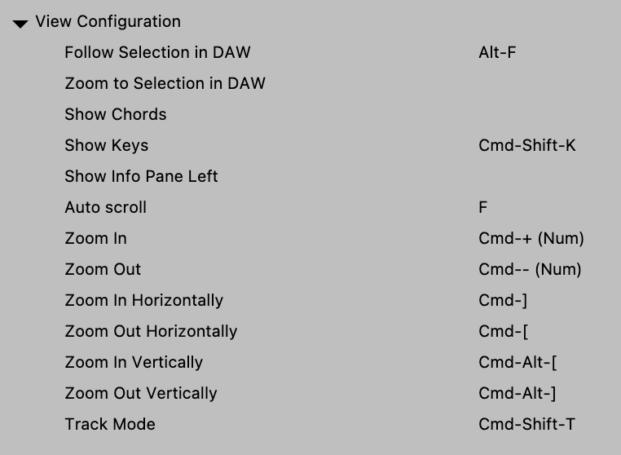
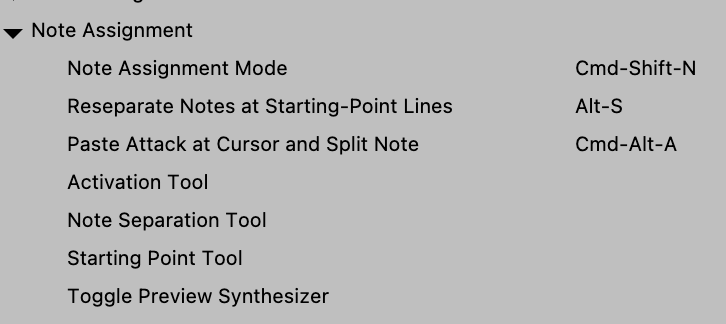
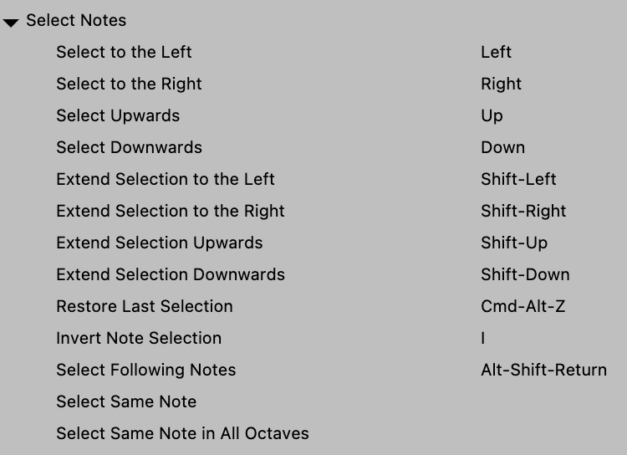
*click ‘right arrow button’ to the left of each ‘shortcut category’ to reveal its shortcuts* —>
*TRANSPORT BAR*

*VIEW CONFIGURATION*

*NOTE ASSIGNMENT*
*SELECTED NOTES*
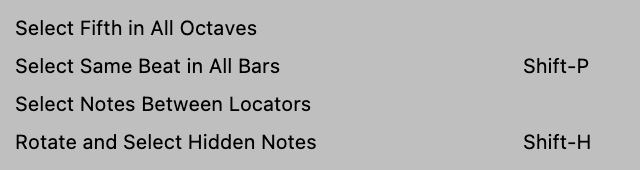
.
*EDITING TOOLS*
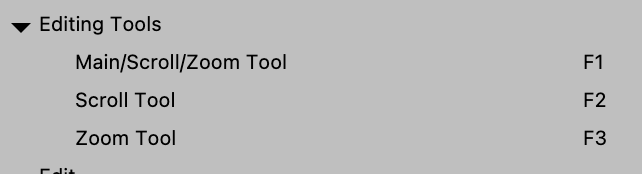
.
*EDIT*
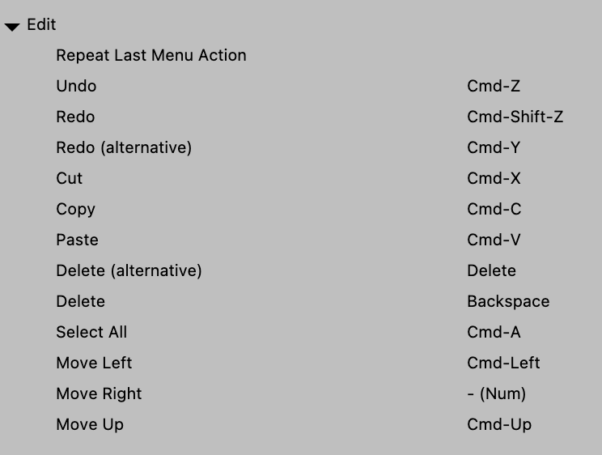
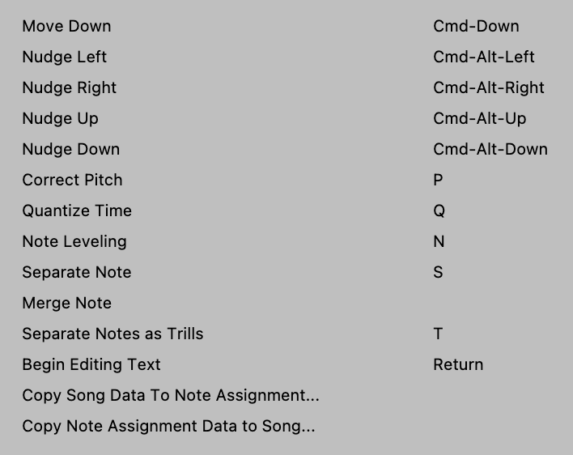
.
*EDITING OPTIONS*
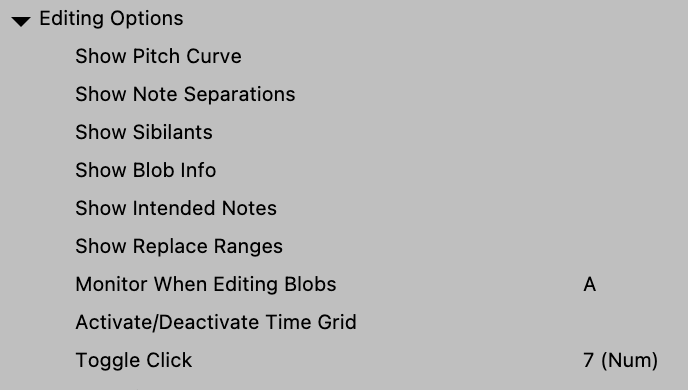
.
*SCALE SETTINGS*
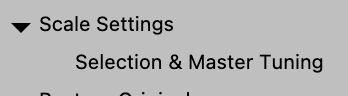
*RESTORE ORIGINAL* —>
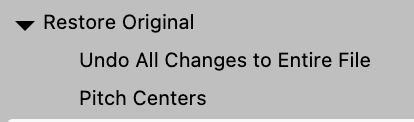
*ADD RANDOM DEVIATIONS*
(no ‘drop-down menu’)
*TEMPO EDITING*
(no ‘drop-down menu’)
*CHORD EDITING*

*OTHERS*
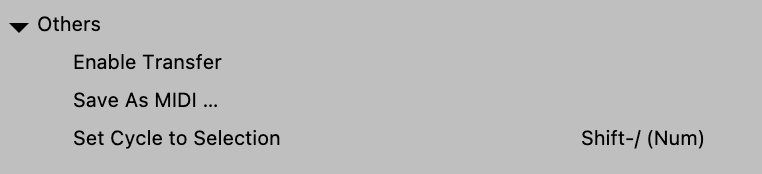
*CLICK ON A ‘SHORTCUTS GROUP’ TO SELECT IT* —>

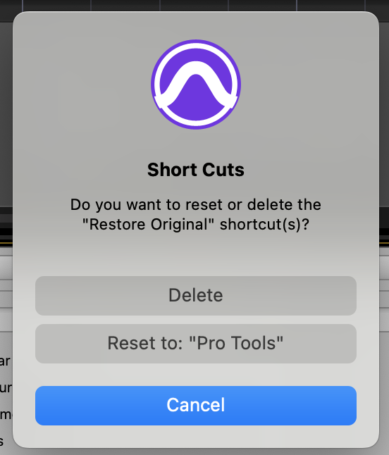
*click the right ‘black x key’ to reset/delete the ‘shortcuts group’* —>

*you will get this prompt* —>
*CLICK ON A ‘SHORTCUT’ TO SELECT IT* —>

*TYPE A ‘KEYBOARD SHORTCUT’*
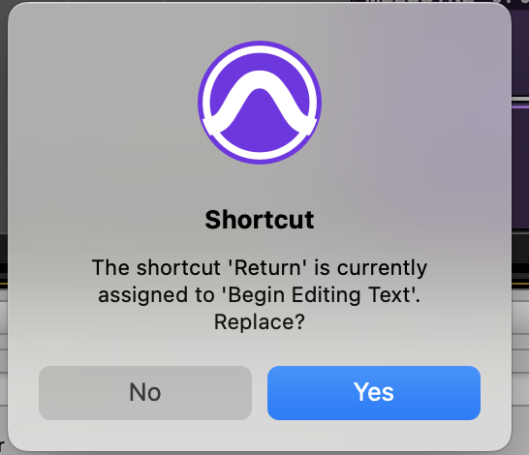
*if melodyne is already using the KS for another function, you will get this prompt* —>
*if KS is not currently being used for another melodyne function, it will appear in the ‘right text box’ of the shortcut* —>

*to save the KS, click out of the ‘right text box’*
(do not hit [RETURN] (or any other key) because melodyne will assume that you are REPLACING the newly assigned KS with the [RETURN] key)
(same goes for [ESC])
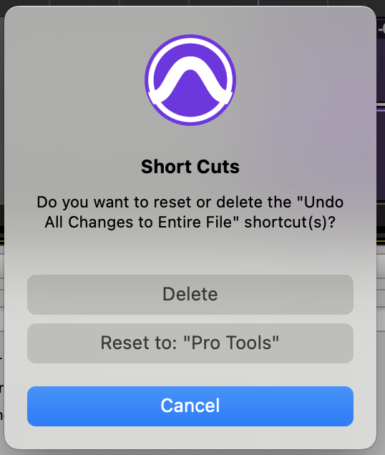
*click the right ‘black x key’ to reset/delete the ‘shortcut’* —>
.
.
.
*👨🔬🕵️♀️🙇♀️*SKETCHES*🙇♂️👩🔬🕵️♂️*
.
.
👈👈👈☜*-[MELODYNE] INSTRUCTIONS-* ☞ 👉👉👉
.
.
💕💝💖💓🖤💙🖤💙🖤💙🖤❤️💚💛🧡❣️💞💔💘❣️🧡💛💚❤️🖤💜🖤💙🖤💙🖤💗💖💝💘
.
.
*🌈✨ *TABLE OF CONTENTS* ✨🌷*
.
.
🔥🔥🔥🔥🔥🔥*we won the war* 🔥🔥🔥🔥🔥🔥