
-as of [23 AUGUST 2026]-
.
(bundled with “pro tools (first)”)
.
*[XPAND!2] USER GUIDE* —>
*FILE PATH* —>
/Users/joga/Library/CloudStorage/GoogleDrive-josephjgatti@gmail.com/My Drive/[HANDBOOX]/-MUSIC PRODUCTION-/[PRO TOOLS]/-3RD PARTY TUTORIALS-/[PLUG-INS]/-XPAND!2-/-PDF-/-X!PAND PDF- (1).pdf
-PDF-
-19 PAGES-
.
.
*FILE PATH* –>
/Users/joga/Library/CloudStorage/GoogleDrive-josephjgatti@gmail.com/My Drive/[HANDBOOX]/-MUSIC PRODUCTION-/[PRO TOOLS]/-3RD PARTY TUTORIALS-/[PLUG-INS]/-XPAND!2-/-VIDEO TUTORIALS-/How to Produce Music with Xpand!2 (Part 1 – Drums) – UnderstandingAudio.com.mp4
.
-[PRO TOOLS] SESSION-
.
*create [xpand!2 track]* —>
-[SHIFT] + [COMMAND] + [ n ]-
.

.
-EDIT WINDOW-
.
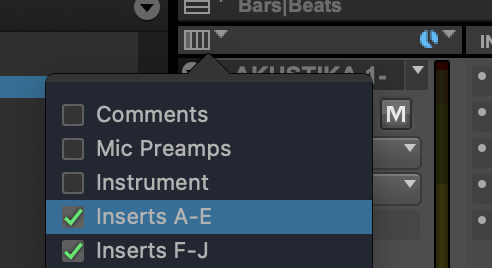
*SELECT [INSERTS A-E]* —>
.
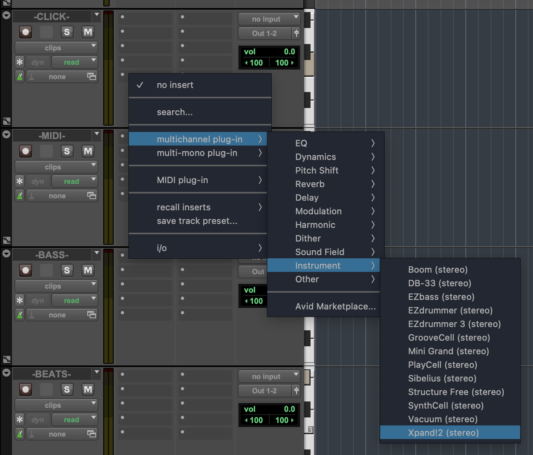
*CLICK INTO THE [(INSERT A) INPUT BOX] FOR THE NEW [MIDI TRACK]* —>
.
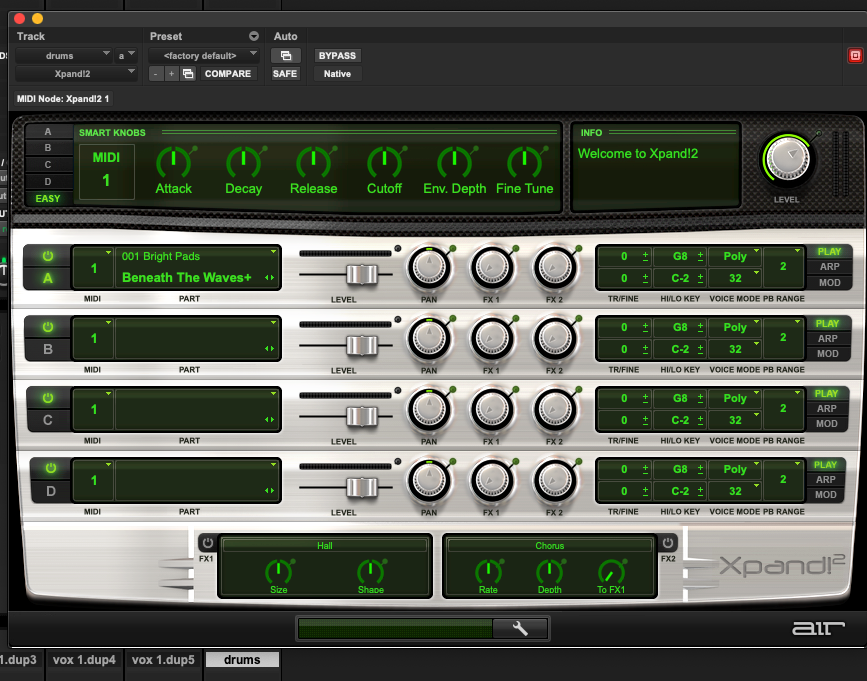
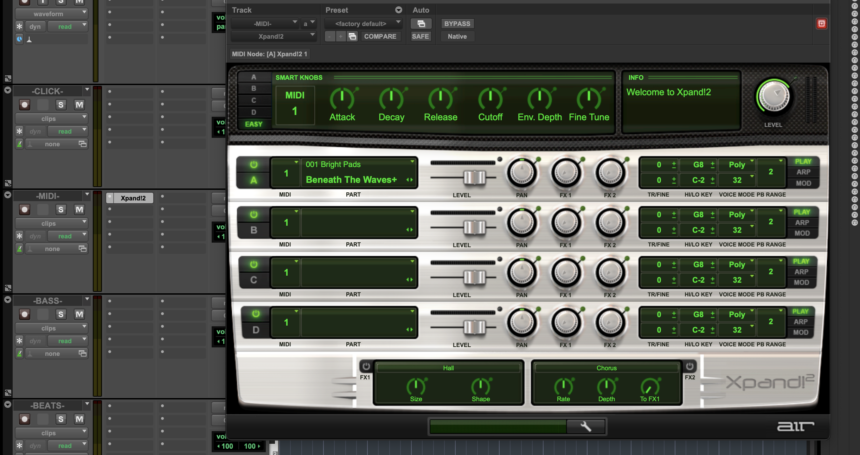
*this ‘floating panel’ appears* —>
.
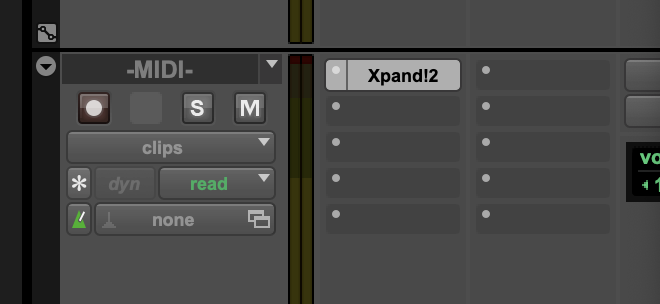
*IT WILL APPEAR IN THE “INSERTS COLUMN” LIKE THIS* —>
.
*TO HIDE ALL [FLOATING WINDOWS]* —>
-[COMMAND] + [OPTION] + [CONTROL] + [ w ]-
.
*WHEN HIDDEN, THE [INSERT COLUMN] LOOKS LIKE THIS* —>
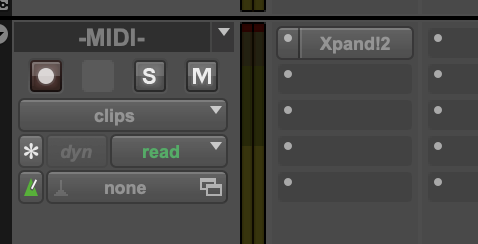
.
*TO SHOW ALL [FLOATING WINDOWS]* —>
-[COMMAND] + [OPTION] + [CONTROL] + [ w ]-
.
.
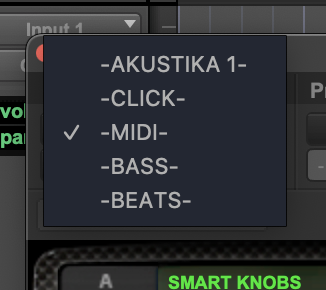
*TRACK* —>
.
(ALL [SESSION TRAX] ARE LISTED)
(BOTH [AUDIO] + [INSTRUMENT])
(NO [MIDI TRAX])
.
(the settings of all 4 [slots] and their respective [parts] can be saved as a single [patch])
(‘patch’ refers to ‘track pre-set’)
.
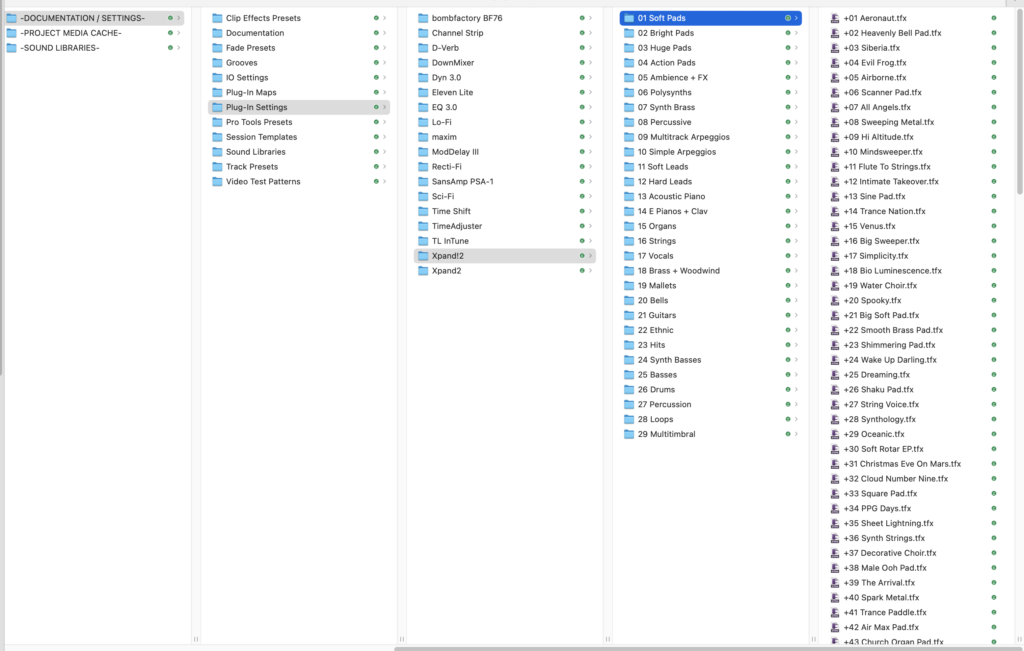
*FILE PATH* —>
/Users/joga/Desktop/[GOOGLE DRIVE SYNC FOLDERS]/-JOSEPHJGATTI-/-APPS-/-PRO TOOLS-/-SETTINGS-/-DOCUMENTS:SETTINGS-/Plug-In Settings/Xpand!2
.
.
“what do. you mean, “ethnic”?“
(an identical folder underneath?)
.
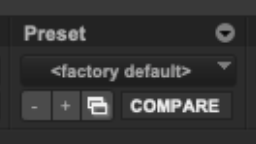
*to load patches, click ‘factory default’* —>
.
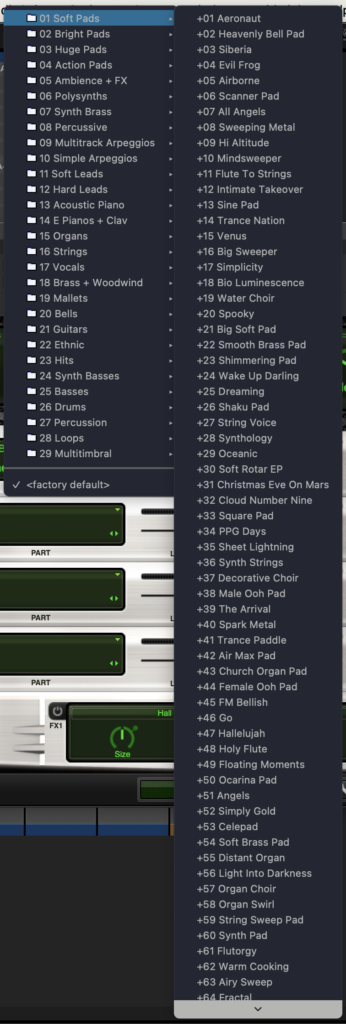
*PATCH MENU* —>
.
.
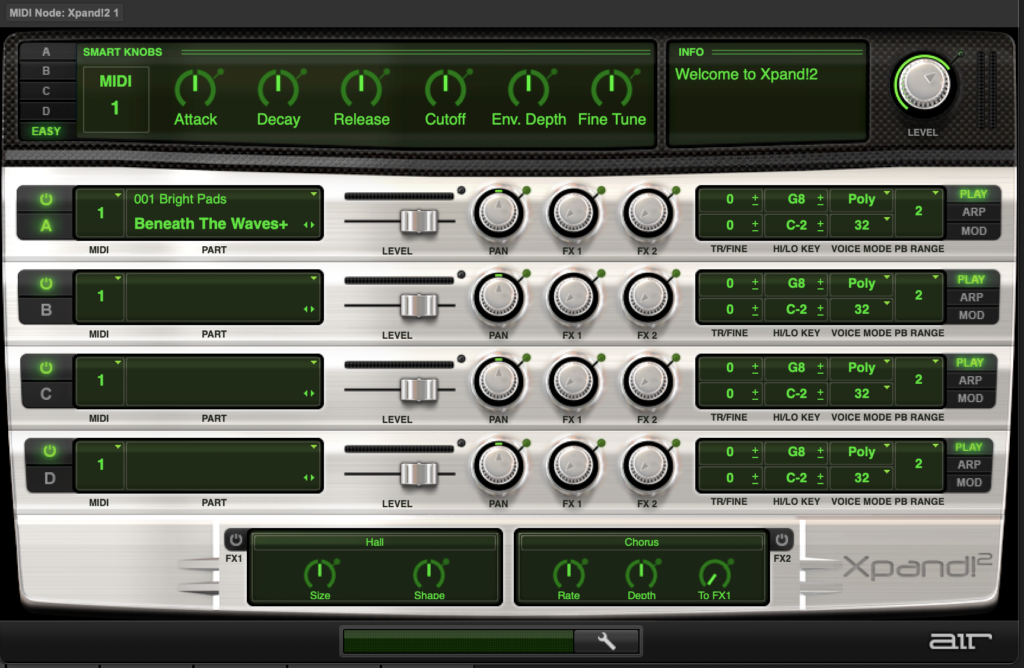
*’factory default’ patch* —>
.
*SLOTS*
-4 SLOTS-
A / B / C / D
“EASY”
.
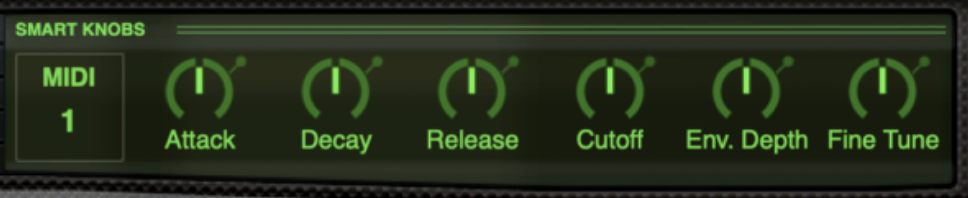
*6 ‘EASY’ CONTROLLERS* —>
(SAME 6 ‘CONTROLLER TYPES’ ACROSS ALL SLOTS/PARTS)
.
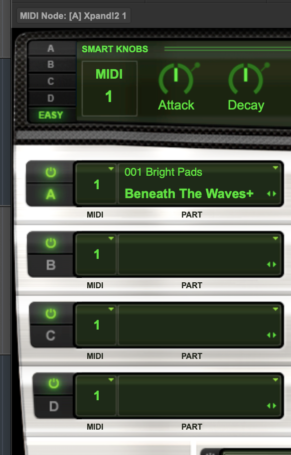
*FACTORY DEFAULT* —>
.
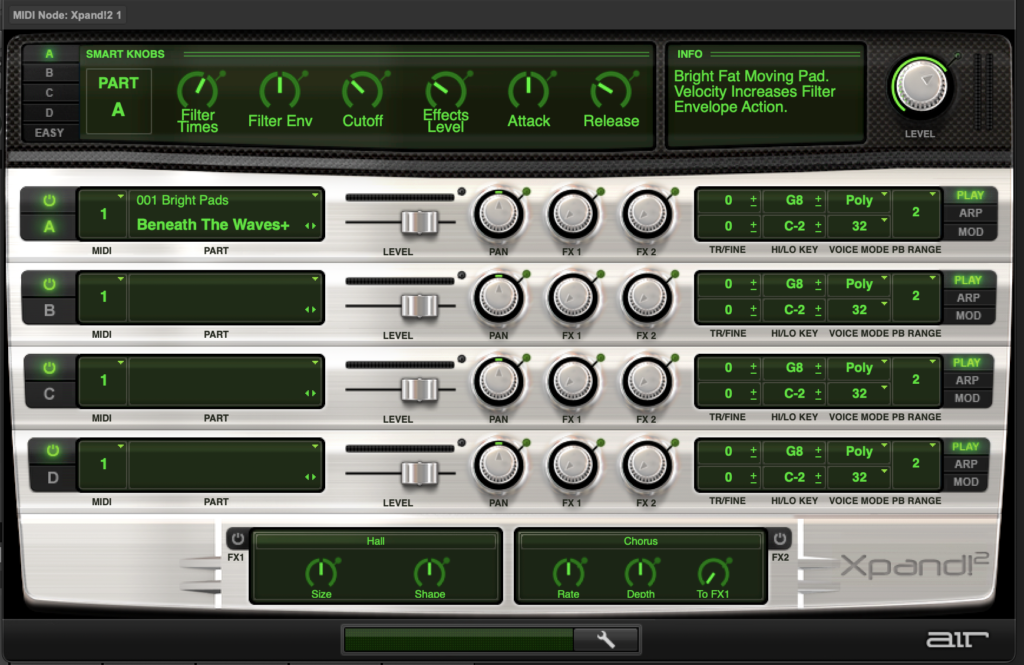
*1 SLOT* —>
.

.
*6 ‘SMART KNOB’ CONTROLLERS*
(‘CONTROLLER TYPE’ VARIES DEPENDING ON THE ASSIGNED ‘PART’)
.
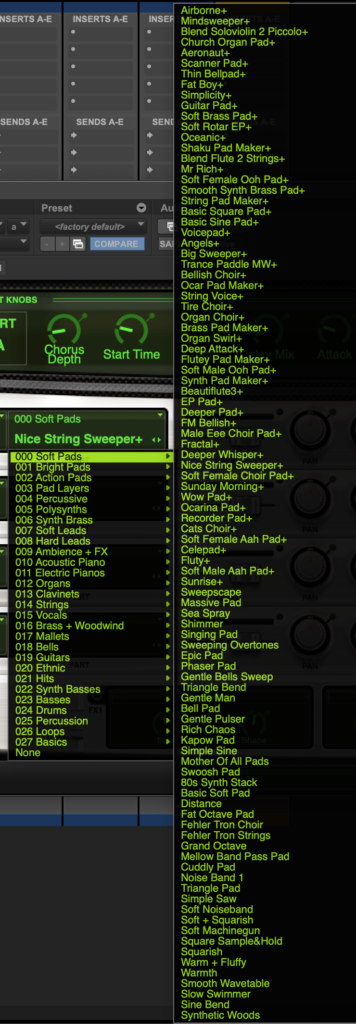
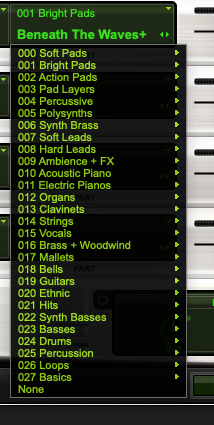
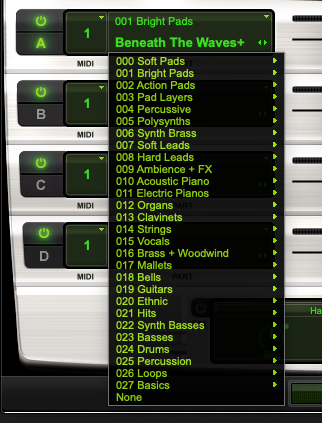
*choose from 1 of over 1200 ‘synthesizer parts’ by clicking on the ‘right side’ of the ‘slot row’* —>

.
.
.
*or choose ‘NONE’ at the bottom of the ‘parts group list’* –>
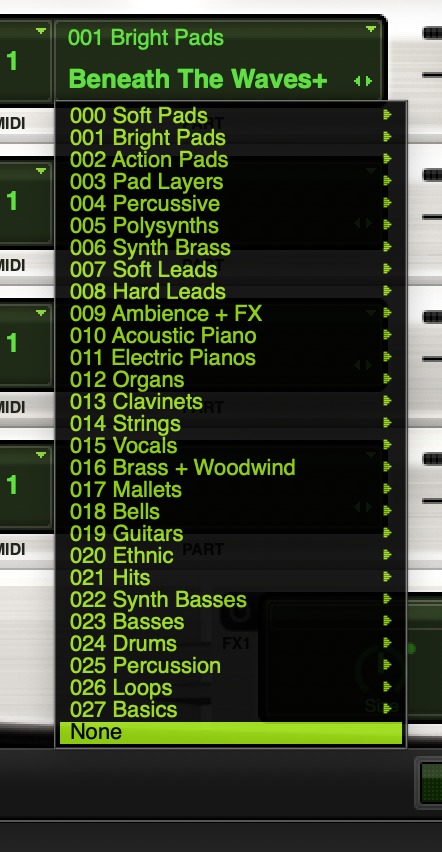
.
*for each ‘slot row’ label, the ‘part group name’ appears in ‘top right’ and the ‘part name’ appears in ‘bottom right’* –>
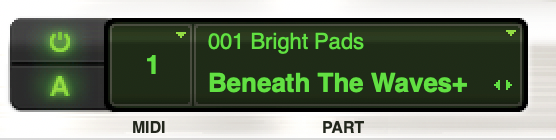
.
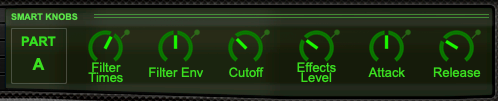
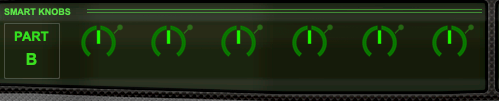



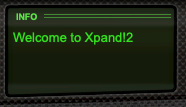
(the ‘info box’ displays information on selected ‘patch’ / ‘part’)
(to see info about the ‘patch’, select ‘EASY’…)

(to see info about the ‘part’, select A/B/C/D…)

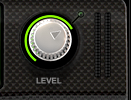
(the meter to the right of the knob shows ‘overall output level’)
*default master level* –>

*minimum master level* —>
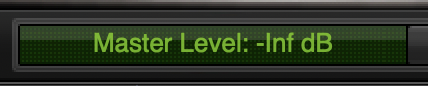
*maximum master level* –>
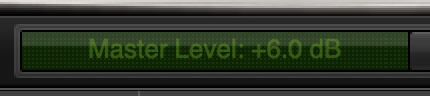
.
*to adjust a knob, click/hold the knob and drag left/right*
*’left’ decreases effect*
*’right’ increases effect*
.
*the ‘effect value’ is shown in the bottom panel*
*when knob is turned fully left* –>

.
*when knob is turned fully right* –>

.
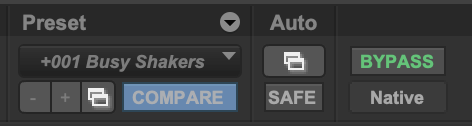
*to undo an adjustment, click the ‘compare button’ to toggle between ‘current settings’ + ‘last saved settings’* —>
.
*MIDDLE SECTION* –>
*4 ROWS*
(for each ‘part’)
.
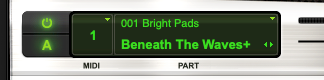
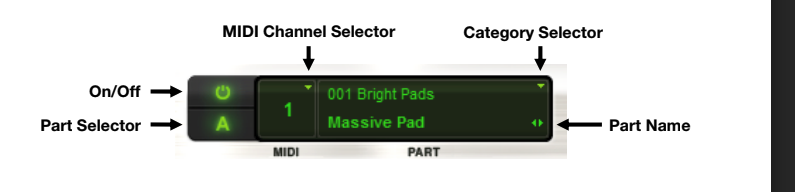
*LEFT BOX* –>
.
.
*ON* –>

.
*OFF* –>

.
‘part selector” –>
(when the ‘smart knob’ settings for selected ‘part’ are selected in ‘top panel’, the ‘part letter’ will be lit up)
.
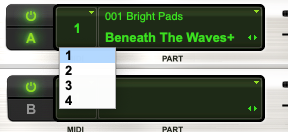
*select from 4 [MIDI channels]* –>
.
.
.
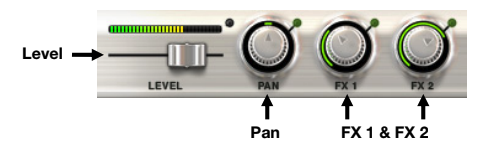
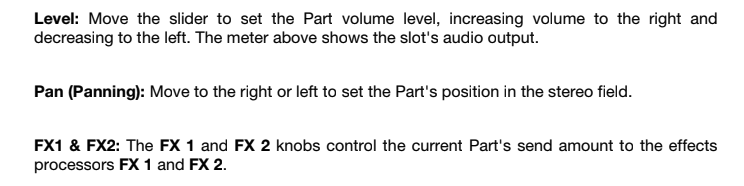
*MIDDLE COLUMN* –>
.
.
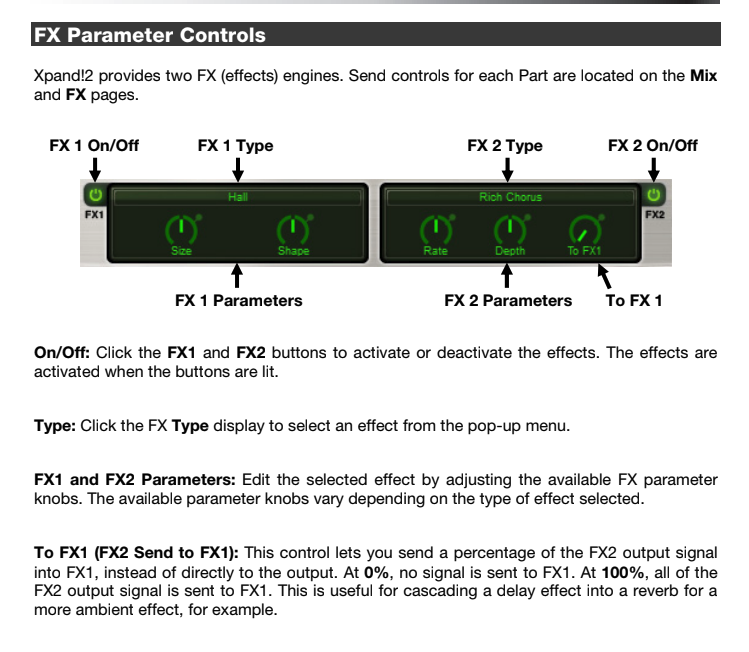
*2 specific ‘FX’ are assigned to each ‘patch’* —>
.
*they are displayed in ‘bottom center’ of the ‘floating panel’* —>

*from here, you can turn the 2 assigned ‘patch FX’ on/off*
.
*you can also adjust parameters for each FX by adjusting the knobs*
.
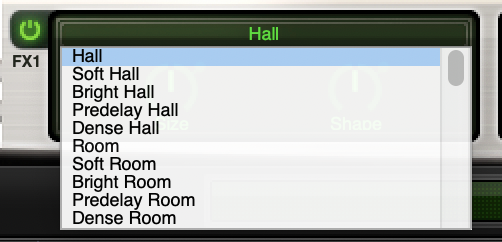
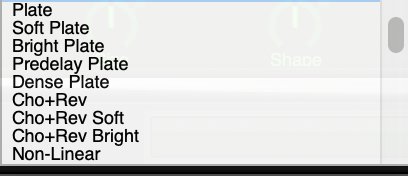
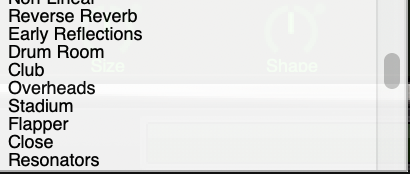
*select new ‘default patch FX’ by clicking the ‘FX name’ in ‘bottom center’ + choosing new FX from the list* —>
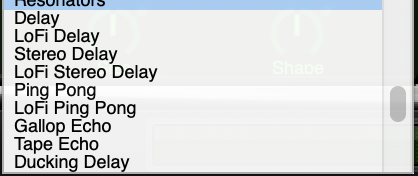
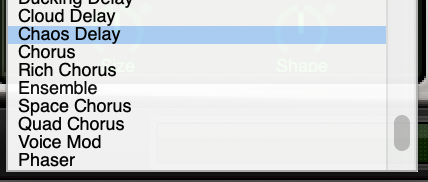
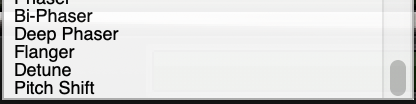
.
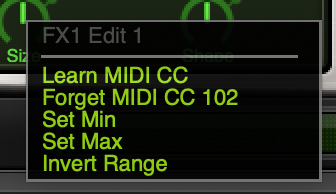
*right-click any ‘functional section’ in the ‘floating window’* –>
.
*the ‘section name’ is listed in ‘gray’* –>
‘MIDI CC’ —> ‘MIDI CONTINUOUS CONTROLLER’
(to use ‘MIDI controller knobs’ to adjust settings with greater precision than mouse/keyboard)
.
*RIGHT COLUMN*
“patch edit controls”
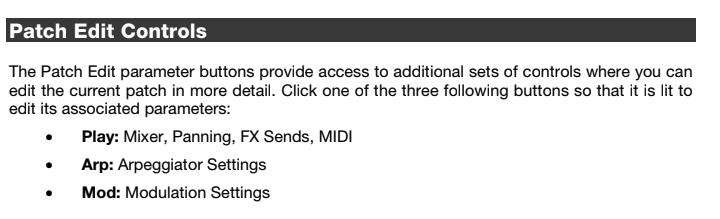
*SELECT EITHER ‘PLAY/ARP/MOD’ ON RIGHT SIDE OF PANEL* —>
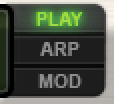
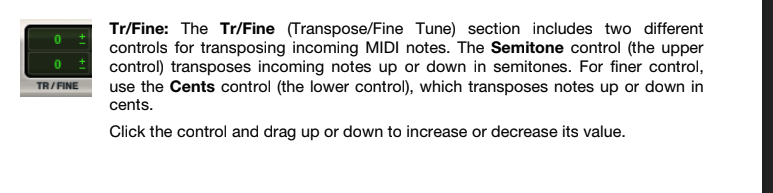
*PLAY*
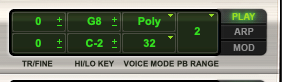
*TRANSPOSE THE PART BY ‘SEMI-TONES’ (TOP) OR ‘CENTS’ (BOTTOM)*
*CLICK/DRAG UP/DOWN TO ADJUST THE ‘TRANSPOSITION’*
*MAX* –>
+36 SEMI-TONES
(+3 OCTAVES)
.
*MIN* –>
-36 SEMI-TONES
(-3 OCTAVES)
.
*6-OCTAVE RANGE*
.
*CENTS* —>
*MAX* —>
+100 cents
(+1 SEMI-TONE)
.
*MIN* —>
-100 CENTS
(-1 SEMI-TONE)
.
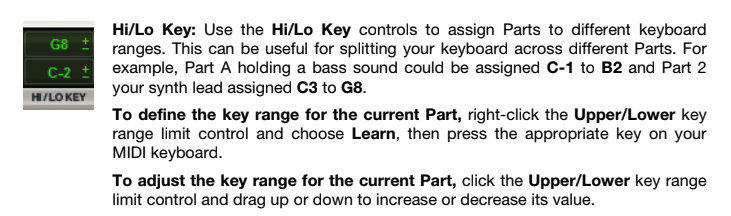
*HIGH/LOW KEYS*
(assign different ‘keyboard ranges’ for different parts)
.
*MAX* –>
G8
.
*MIN* –>
C (-2)
.
-127 NOTES-
(OVER 10 OCTAVES)
.
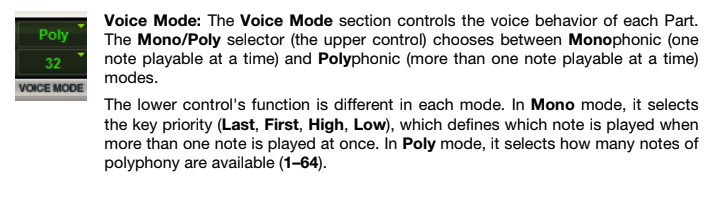
*VOICE MODE* –>
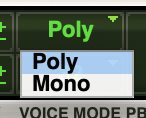
(default is ‘poly’)
.
*mono-(phonic)* –>
(only 1 note can be played at a time)
.
*to specify ‘note priority’* –>
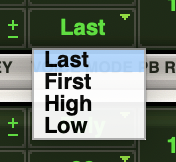
.
*poly-(phonic)* –>
(multiple notes can be played at a time)
.
*to specify how many notes can be played at a given time* –>
(1 – 64)
(default is 32)
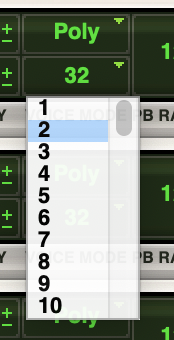
.
*PB RANGE* —>
“pitch bend range”
*select how many ‘semi-tones’ a given part can be bent* –>
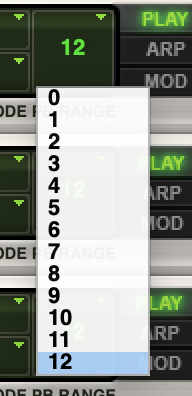
*default is ‘12’*
.
*ARP*
“arpeggiator”
(play selected notes/keys as “arpeggios”)
.
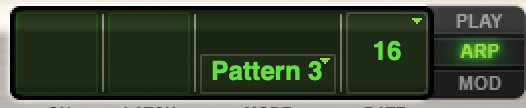
*OFF* –>
*ON* –>
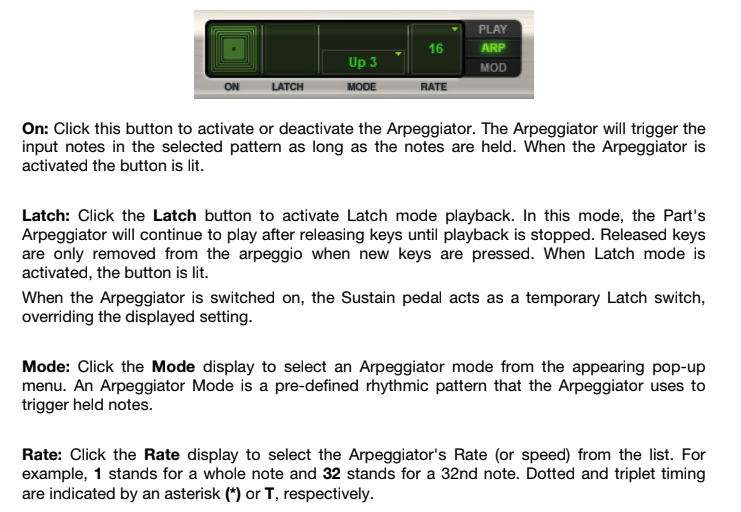
*LATCH*
(the arpeggio continues to play until you stop playback)
*OFF* –>
*ON* —>
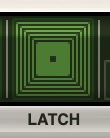
.
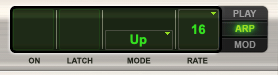
*MODE* –>
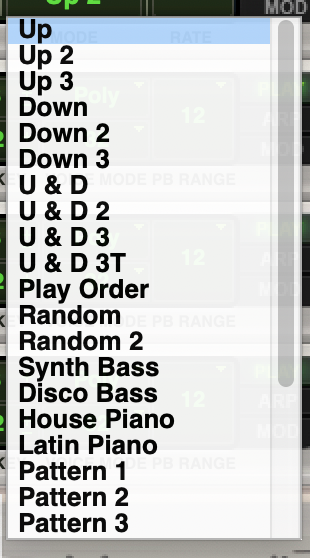
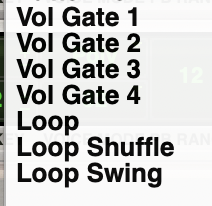
.
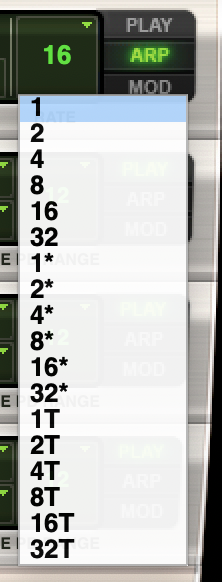
*RATE*
(controls ‘speed’ of arpeggio by defining “individual note length”)
.
.
(‘1’ is a ’whole note’)
(default is ’16th note’)
.
.
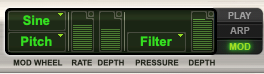
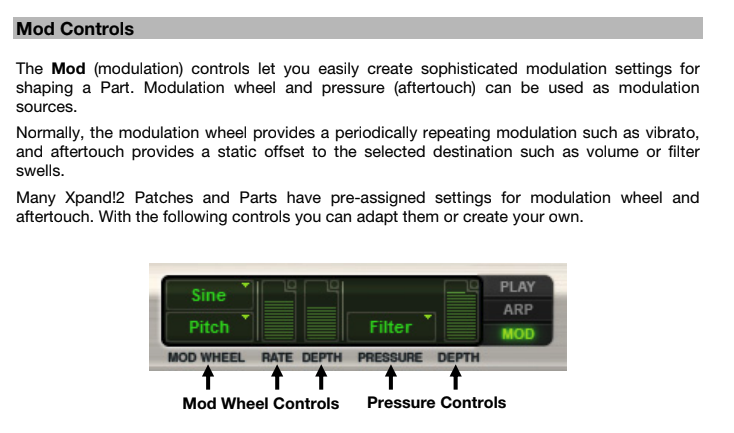
*MOD*
“modulation”
.
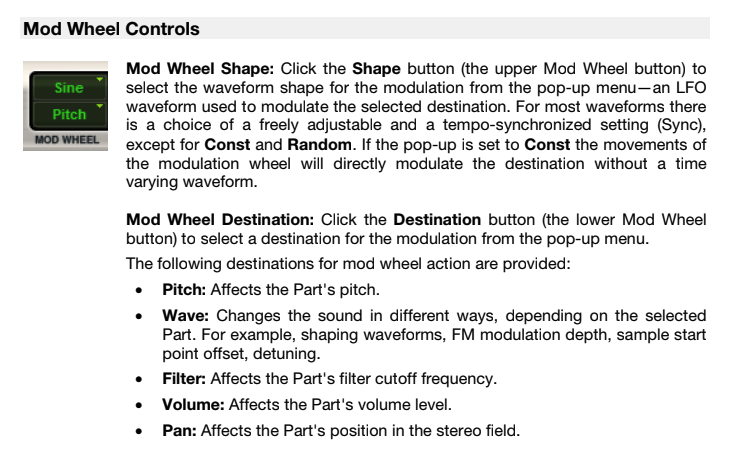
*choose ‘mod shape’* –>
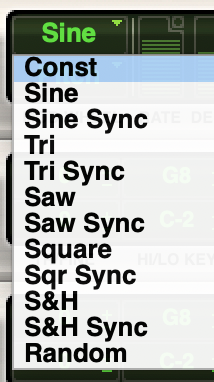
(default is “sine”)
.
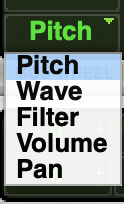
*MOD DESTINATION* –>
.
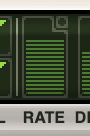
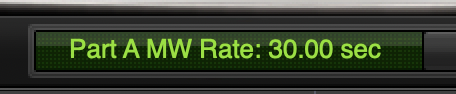
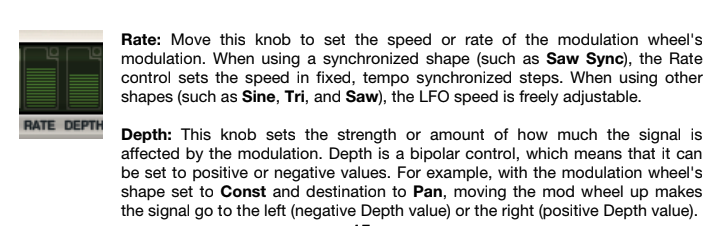
*MOD RATE* —>
.
*drag up/down*
*minimum* —>
.
*maximum* –>

.
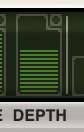
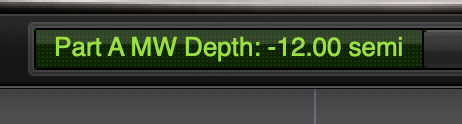
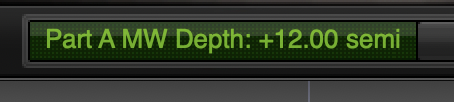
*MOD DEPTH* —>
.
*drag up/down*
*minimum* —>
.
*maximum* –>
.
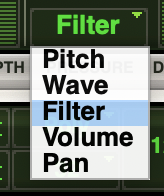
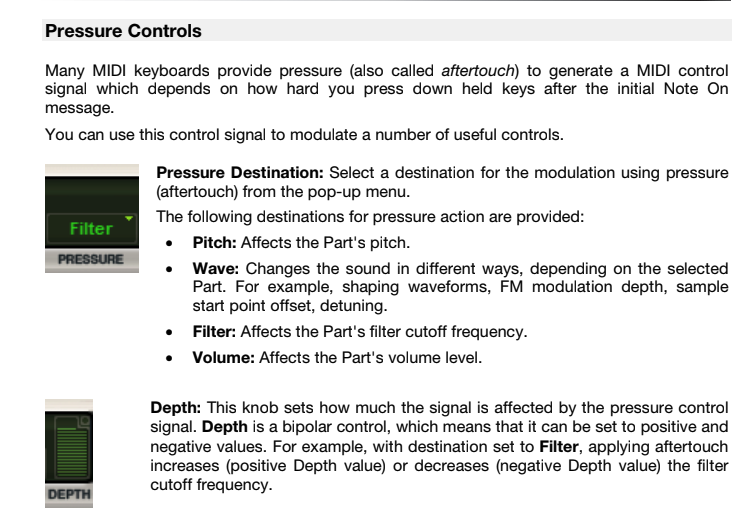
*PRESSURE CONTROLS*
(to specify controls associated with how hard you press the keys)
.
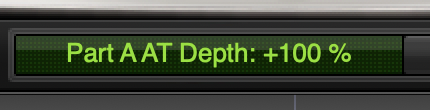
*PRESSURE DEPTH* –>
.
*drag up/down*
*minimum* —>

.
*maximum* –>
.
.
.
*BOTTOM* –>


(the ‘smart display’ displays settings of ‘currently selected control’)
(when a ‘control’ is not selected, this display functions as a ‘preset browser’)
(you can view ‘name’ of current pre-set)
(or you can save the current preset)
(or you can load a previously saved pre-set)
(when you click the ‘wrench button’, you navigate to this screen…)
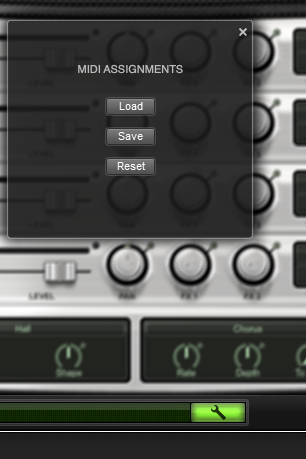
(from here, you can [‘load’ / ‘save’ / ‘reset’] presets)
(aka ‘MIDI assignments’?)
(a ‘preset’ consists of ‘patch selections’ and other settings for all 4 ‘parts’ + both ‘fx modules’)
(these ‘presets’ are saved to your hard drive)
.
*APPLICATIONS* –> *AIR MUSIC TECHNOLOGY* –> *XPAND!2* –> *MIDI ASSIGNMENTS* –>
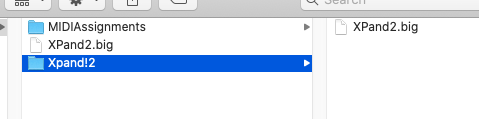
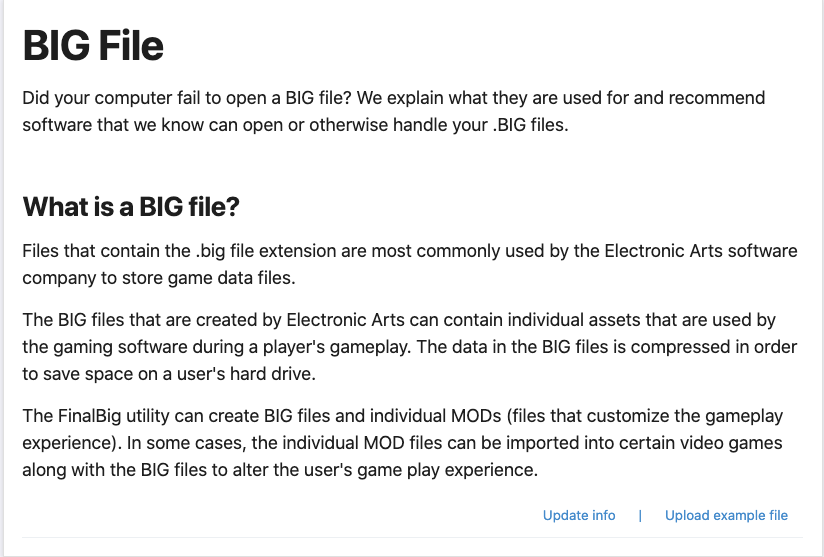
(what the hell is ‘xpand2.big’?)
.
(pre-sets are saved as ‘.airMIDI’ files)
.
*’Air Music Technology’ originally created Xpand! as part of the ‘Creative Collection’ of ‘instrument plug-ins’ included as part of Avid™ Pro Tools™*
With the release of Pro Tools 8, this widely popular workstation was given new controls, improved features, an additional Gigabyte of sounds, and a new name: Xpand!2.
As the popularity of Pro Tools grew, more and more musicians and producers came to rely on the incredible sonic firepower of this amazing workstation.
Xpand!2 continued to evolve, and demand grew.
Finally, Xpand!2 is now available on its own, available to anyone who hungers for the finest sounds—instantly
.
Four on the Floor
Xpand!2 is a multitimbral workstation offering four active sound slots, or parts, per patch.
Each part is provided with its own MIDI channel,
Note Range (Zone),
Mix,
Arpeggiation,
Modulation,
and Effects settings—an excellent method for creating individual parts.
Harnessing the four parts together to build one amazing Patch is where Xpand!2 reveals its true power.
The Voice Mode for each part can be set to polyphonic or monophonic.
Polyphonic parts can have up to 64 voices; monophonic parts offer First, Last, Highest, or Lowest priority making it easy to designate a bass, lead, or solo instrument
.
Sounds Galore
Using everything from wavetables and FM synthesis to sample playback, the expert sound design team at Air Music Tech has carefully created thousands of ready-to-play Xpand!2 patches.
Creating your own is easy, too.
Parts can be quickly browsed and are conveniently sorted into 29 categories, offering a simple path to find just what you’re looking for
.
Smart Knobs and Easy Edits
Six smart knobs are provided for custom-tweaking your Xpand!2 sounds
Each knob changes function depending on the part selected, offering hands-on control of the most critical sound elements.
Select the Easy mode, and all six knobs now control all four of the common parts in a patch simultaneously for quickly performing those crucial edits.
And of course, all of your edits can be saved for instant recall
.
Major Modulation
Express yourself with powerful performance features!
Pitch Bend wheel and Aftertouch (pressure) modulation assignments can be made independently for each part.
Modulation rates can be tempo sync’d or free-wheeling.
Numerous modulation destinations are provided, and the WAVE destination parameters are different from part to part, providing unique Xpand!2 sound-shaping capabilities
.
Advanced Arpeggiation
Keep things moving with advanced arpeggiation.
Simply set the Rate—including dotted and triplet values—and then select the Mode.
Using the Latch switch allows the arpeggiator to continue to play, even when your hands leave the keyboard.
Each Xpand!2 part is provided with its own arpeggiator.
Many parts such as Action Pads and Loops will automatically activate the Arpeggiator, as it forms an integral part of the sound
.
Dynamic Effects Duo
Xpand!2 includes two independent effect processors with fifty studio-grade effects, ranging from rich reverbs to the mind-bending Chaos Delay.
When selecting a new effect type, Xpand!2 will instantly change the edit knob functions to provide accurate control of every effect.
The output of FX1 can be fed into the input of FX2 to create advanced “cascade-style” effects
.
4-channel multitimbral operation
Up to four stereo instrument parts per patch
Up to 64 voices per part; Mono or Poly voice modes
Smart Knobs provide intuitive sound editing
Easy Edit Knobs control the entire patch at once
Two digital effects processors; 50 editable effect types
Individual arpeggiation control for each part
Multiple sound generation engines:
Subtractive Synthesis
FM Synthesis
Tonewheels
Sample Playback
2500+ total presets and parts in the following categories:
Soft Pads
Bright Pads
Huge Pads
Action Pads
Ambience and FX
Polysynths
Synth Brass
Percussive
Simple Arpeggios
Multitrack Arpeggios
Soft Leads
Hard Leads
Acoustic Piano
E-Pianos and Clavinet
Organs
Strings
Vocals
Brass and Woodwinds
Mallets
Bells
Guitars
Ethnic
Hits
Synth Basses
Basses
Drums
Percussion
Loops
Multitimbral
Compatible with AU and VST only. (AAX version available in AIR Creative Collection sold seperately)
PC: Windows 10, 8 or Windows 7 Service Pack 1; Minimum Dual Core 2GHz (Intel Core i5 or i7 Recommended)
Mac: Mac OS X 10.8.5-11; Core Duo Processor (Core i5 or i7 Recommended)
Minimum RAM 1GB (2GB or more Recommended)
1GB free hard drive space (Download and Installation)
A 64-bit compatible host application*
Internet access (Download and Authorization)
Notes
PC: VST64 is qualified for Cubase 6 (64-bit) and Ableton Live 9 (64-bit).
Mac: VST64 is qualified for Cubase 6 (64-bit) and Ableton Live 9 (64-bit). AU64 is qualified for Logic X (64-bit).
iLok is not required for use
Xpand!2 Updates
Xpand!2 Trial Versions
Multitimbral All-In-One Workstation
×
Buy Xpand!2
Multitimbral All-In-One Workstation
×
Subscribe to Xpand!2
Multitimbral All-In-One Workstation
×
Rent to Own Xpand!2
Multitimbral All-In-One Workstation
×
Xpand!2 Upgrades
Multitimbral All-In-One Workstation
Enter your promo code at checkout to receive discount pricing. Learn More
×
×
www.airmusictech.com /product/xpand2
AIR Music Technology
7-8 minutes
AIR Music Tech
RightLeft
1
2
Overview
Features
System
Requirements
Updates
Owners of Pro Tools 8 + and AIEP qualify for a limited time $49.99 crossgrade price
please contact softwaresales@airmusictech.com for more details
.
.
.
*👨🔬🕵️♀️🙇♀️*SKETCHES*🙇♂️👩🔬🕵️♂️*
.
.
.
.
💕💝💖💓🖤💙🖤💙🖤💙🖤❤️💚💛🧡❣️💞💔💘❣️🧡💛💚❤️🖤💜🖤💙🖤💙🖤💗💖💝💘
.
.
*🌈✨ *TABLE OF CONTENTS* ✨🌷*
.
.
🔥🔥🔥🔥🔥🔥*we won the war* 🔥🔥🔥🔥🔥🔥