
-as of [20 JULY 2026]-
.
-EXTERNAL KEYBOARD CONTROLS–
.
*ENABLE “KEYBOARD CONTROLS”* —>
-SETTINGS–
-HARDWARE–
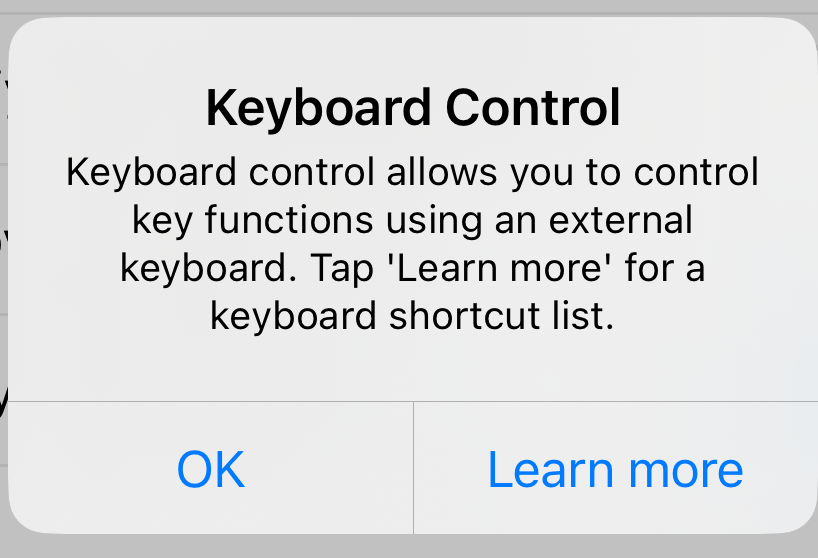
“KEYBOARD CONTROL”
.
Once Keyboard Control is enabled, the following keyboard commands can be accepted by Filmic Pro v7:
E –
lock/unlock exposure reticle
(or closes manual exposure arc if open)
F –
lock/unlock focus reticle
(or closes manual focus arc if open)
A –
Turn analytics ON/OFF
M –
Progress forwards through focus/exposure modes
(Standard Reticles > Auto Reticles > Manual Arcs > Standard Reticles etc.)
ENTER (Return) –
Start/Stop recording
(in ‘stitch mode’, the ‘enter key’ starts/pauses recording)
(you will have to tap/hold ‘record button’ to stop recording in ‘stitch mode’)
Right arrow ➡️ –
Reveal manual focus slider, then focus towards macro.
To dismiss focus slider, press F.
Left arrow ⬅️ –
Reveal manual focus slider, then focus towards infinity.
To dismiss focus slider press F.
Up Arrow ⬆️ –
Reveal manual exposure slider, then brighten exposure.
To dismiss exposure slider press E.
Down Arrow ⬇️ –
Reveal manual exposure slider, then darken exposure.
To dismiss exposure slider press E
.
.
.
*👨🔬🕵️♀️🙇♀️*SKETCHES*🙇♂️👩🔬🕵️♂️*
.
.
👈👈👈☜*-[FILMIC PRO] INSTRUCTIONS-* ☞ 👉👉👉
.
.
💕💝💖💓🖤💙🖤💙🖤💙🖤❤️💚💛🧡❣️💞💔💘❣️🧡💛💚❤️🖤💜🖤💙🖤💙🖤💗💖💝💘
.
.
*🌈✨ *TABLE OF CONTENTS* ✨🌷*
.
.
🔥🔥🔥🔥🔥🔥*we won the war* 🔥🔥🔥🔥🔥🔥